DO THE WORK
Money and the books
Approvals, corrections, the bank, the statements, the close and people.
Shown with ABC Corp, a demonstration company.
Postings, cancellations and the year close wait on a card until a person with the right seat approves them. Each task below says whether it waits. Once posted, an entry stays as it was posted. A correction posts a reversal beside the original, so the record keeps both. This page covers that work, from one card to the close of a year.
Progress
| Task | Seat | Waits for approval | Done when |
|---|---|---|---|
| Approve a posting | Finance | Yes | The posting ran exactly as the card showed it. |
| Correct a posted entry | Finance | Yes | The reversal and the correct entry sit beside the original. |
| Run the integrity check | Finance | Routine | Three results read sound. |
| Reconcile the bank | Finance | Routine | The ledger's bank balance agrees with the statement. |
| Pay suppliers | Finance, Sales | Yes | The supplier's bill reads paid. |
| Revalue foreign balances | CEO | Yes | Foreign balances stand at the period-end rate. |
| Read the financial statements | Finance | Routine | You have the statement you asked for. |
| Close a period | Finance | Yes | The year is closed into retained earnings. |
| Approve expense claims | Administrators | Yes | The claim is approved and posted. |
| Run payroll | Administrators | Yes | The payroll run is posted. |
Approve a posting
You end with a posting on the books that ran exactly as the card showed it, or a declined card and an unchanged ledger.
Approve a posting
- A posting waits on a card: in the assistant, or on Today.
- Read the action and every detail on it.
- Approve, and it runs exactly as shown.
- Or decline with a reason, and the books stay as they were.
Before you start: a seat that posts. The CFO and the GM Finance post journal entries. The Manager Accounts drafts them for those two to post.
Accrue USD 12,500 of audit fees for the month and submit it.
- The assistant drafts the journal entry with its accounts, debits and credits.
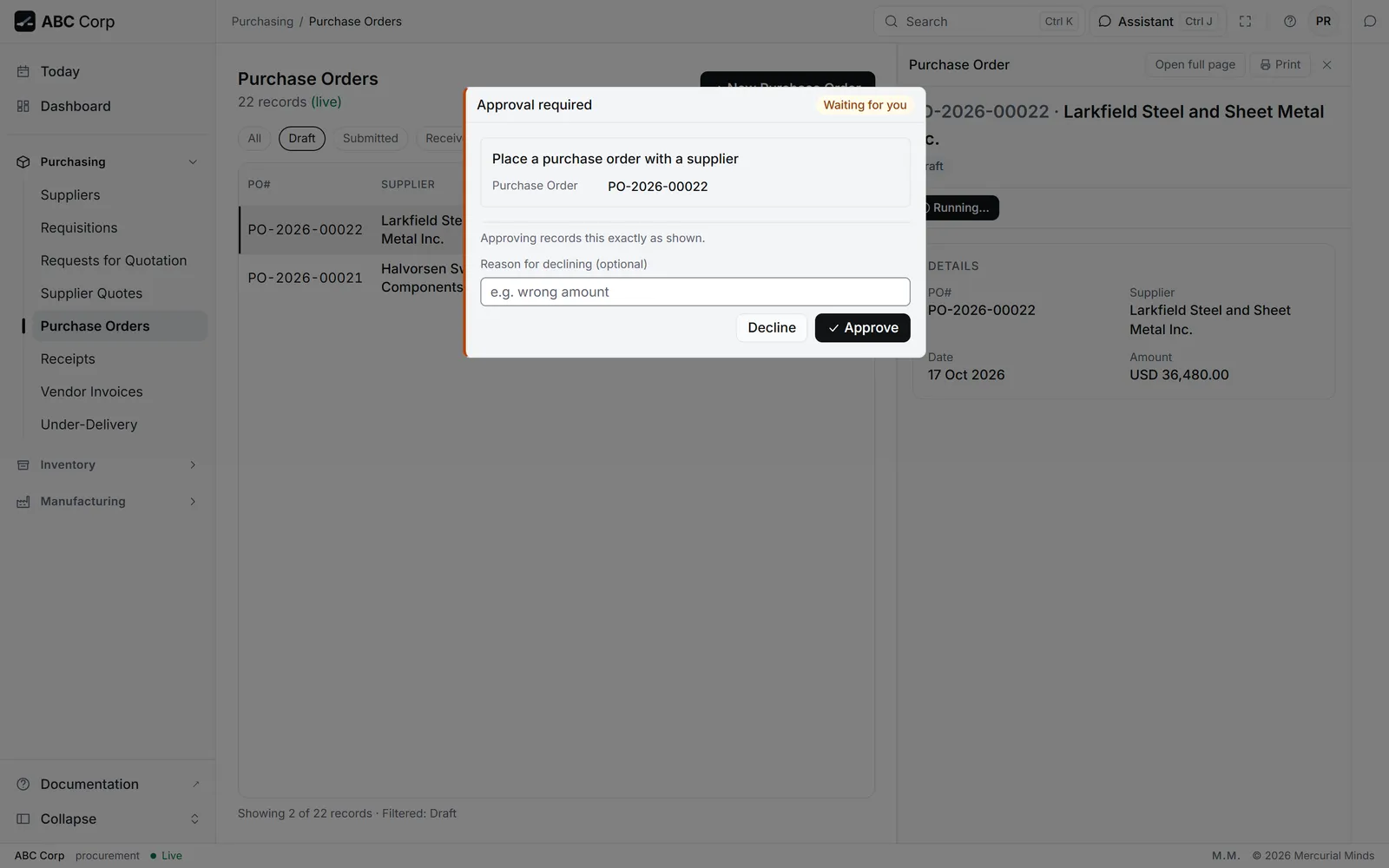
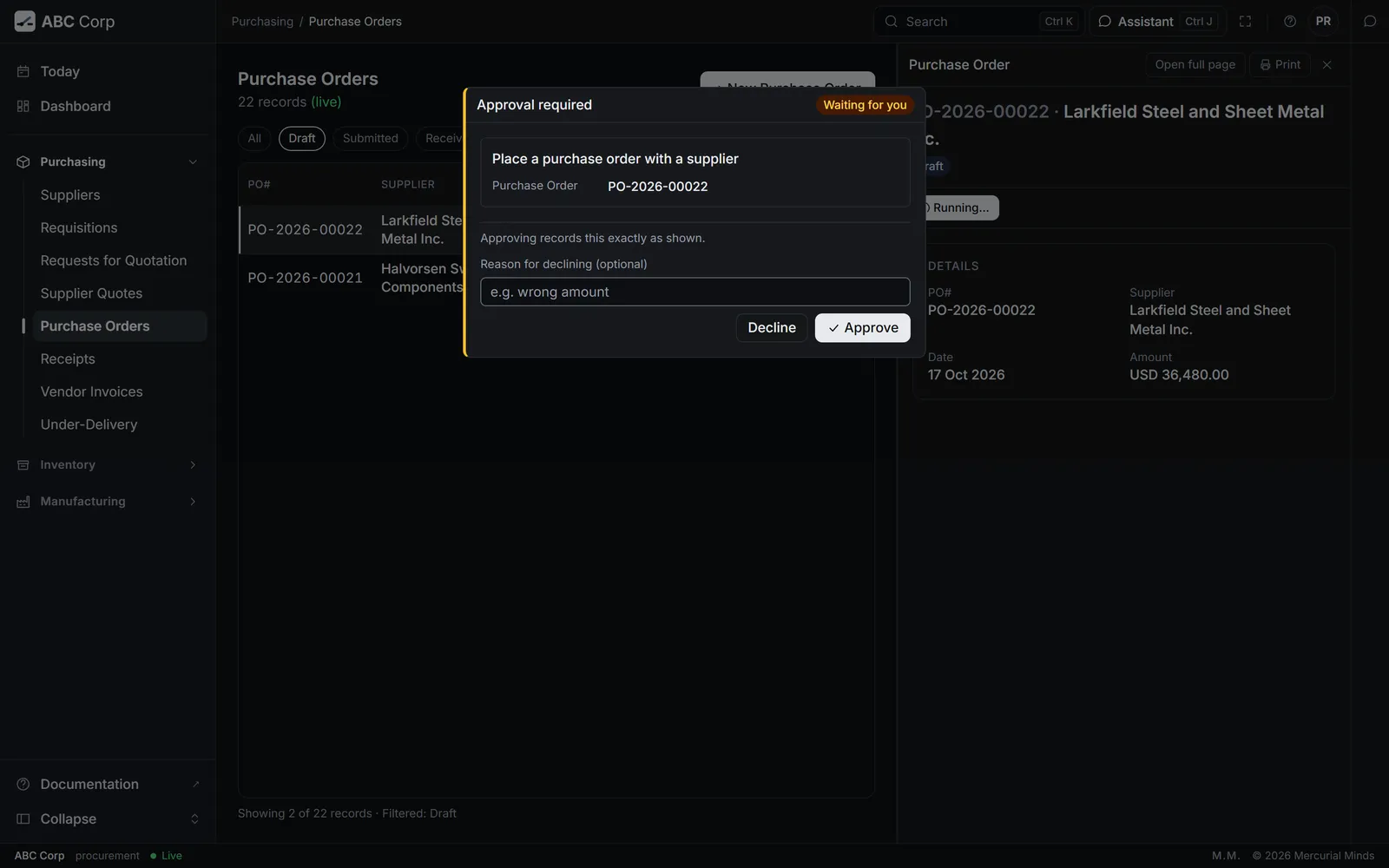
- It asks to post the entry. A card titled Approval required reads Waiting for you.
- Check every account and amount on the card.
- Press Approve. Or write a reason under Reason for declining (optional) and press Decline.
- Open Today. A waiting posting shows as an Approval line: "Prepared by the assistant, and recorded once you approve it."
- Press Review. The assistant opens on the card.
- Check every detail, then press Approve or Decline.
What you see
After Approve, the card reads Approved and "Approved. Recorded exactly as shown." After Decline, it reads Declined, with your reason.
This waits for approval
A journal entry's card reads Post a journal entry to the ledger. Each account shows by name, and each amount in full. The CFO or the GM Finance answers it. See Approve or decline a request.
The assistant says this is outside what your role permits
Your seat drafts and another seat posts. Draft the entry, then ask the CFO or the GM Finance to post it from their Today.
Can I take an approval back?
An approved posting is on the books. To change it, post a reversal: see Correct a posted entry.
Correct a posted entry
You end with the wrong entry reversed and the right one posted, with all three on the record.
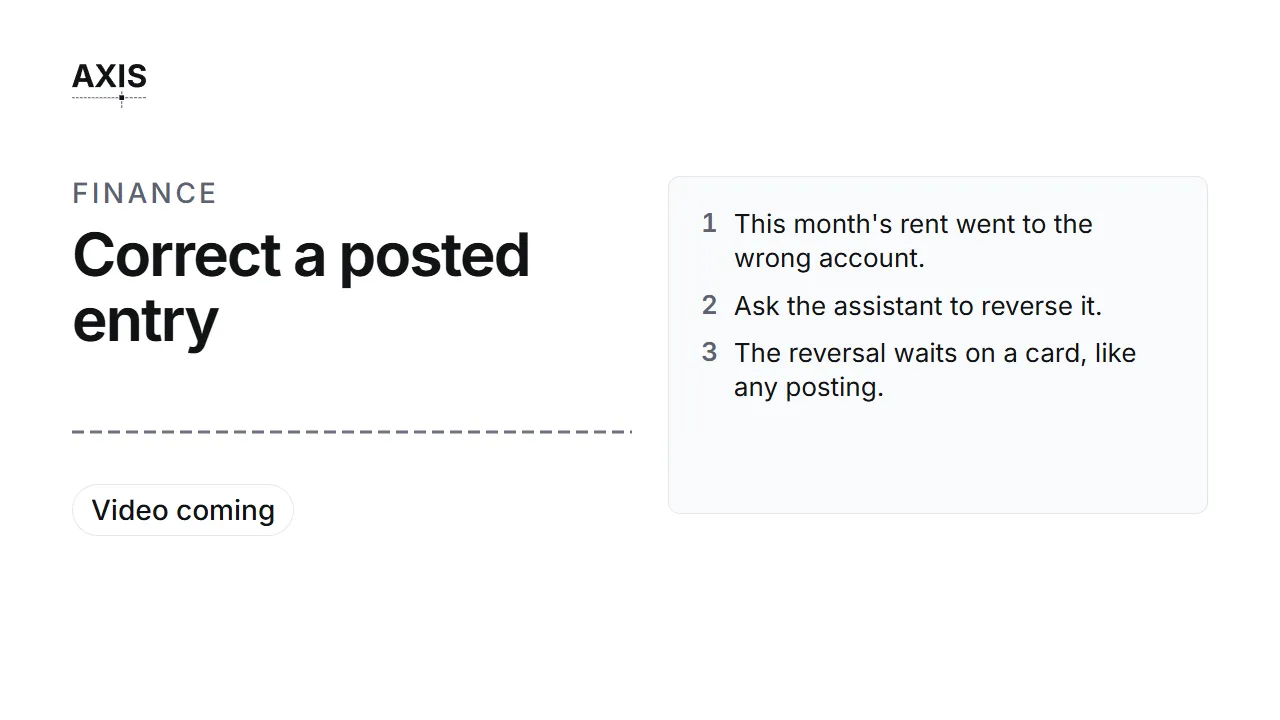
Correct a posted entry
- This month's rent went to the wrong account.
- Ask the assistant to reverse it.
- The reversal waits on a card, like any posting.
- Approve it. The original and its reversal sit side by side.
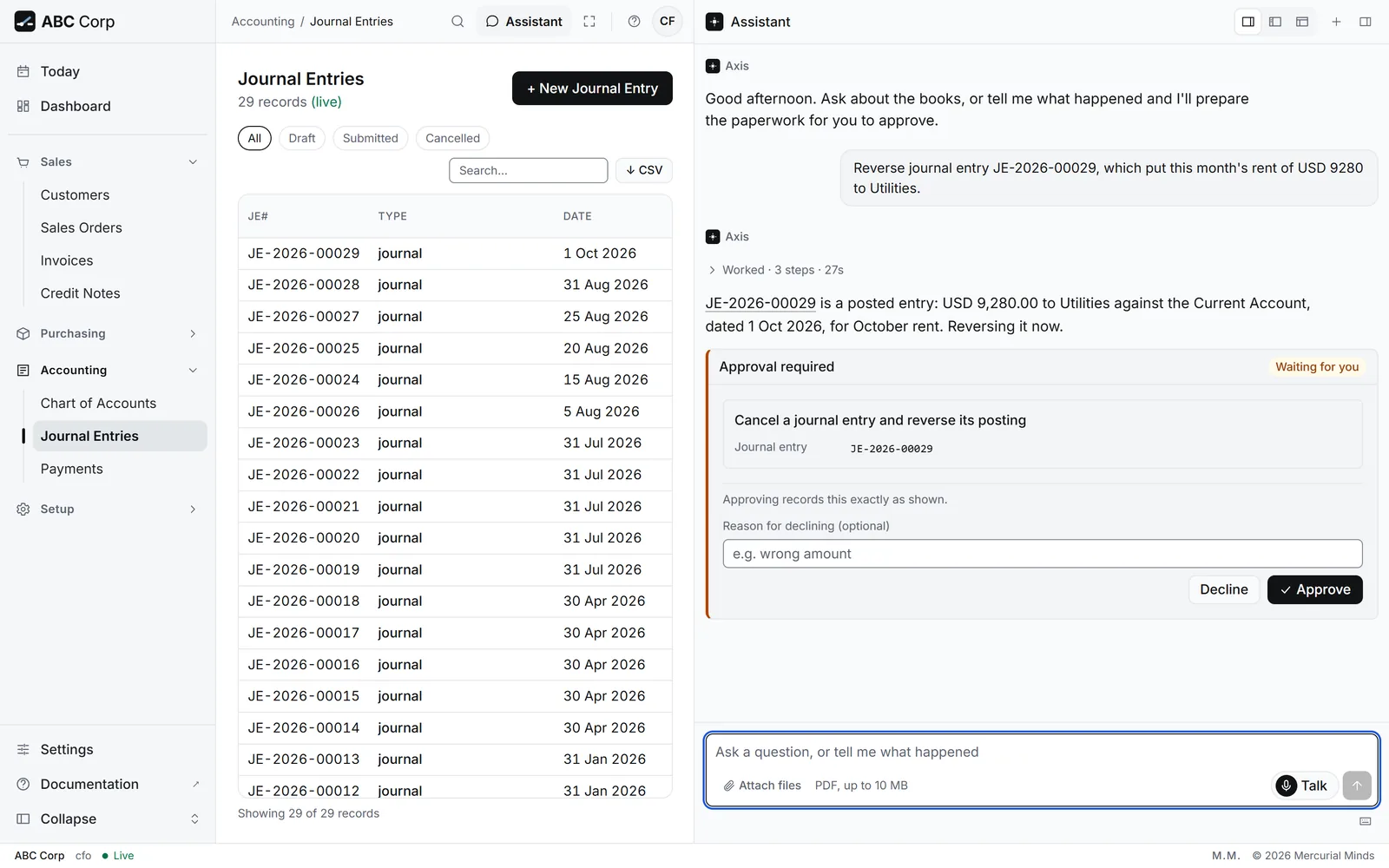
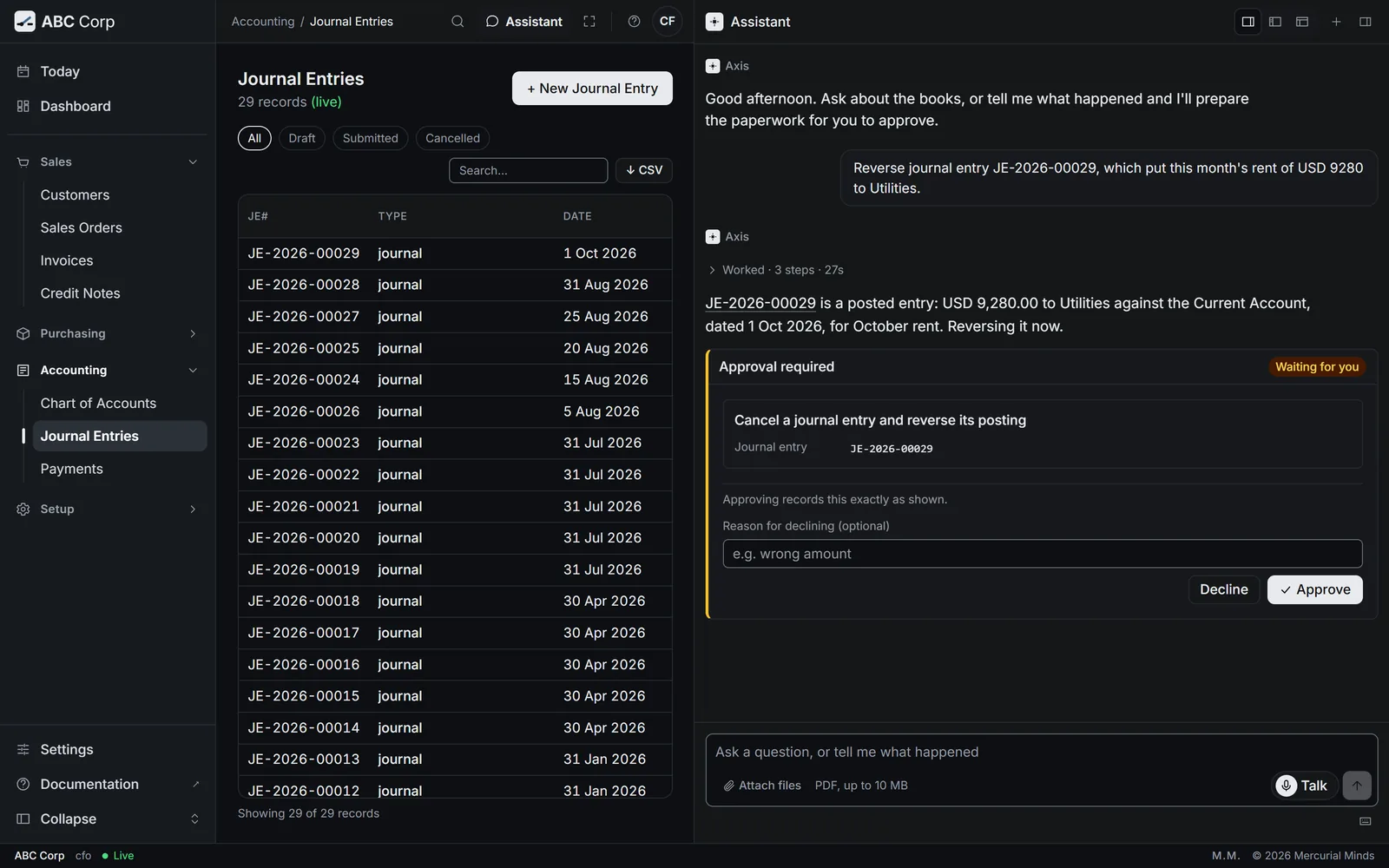
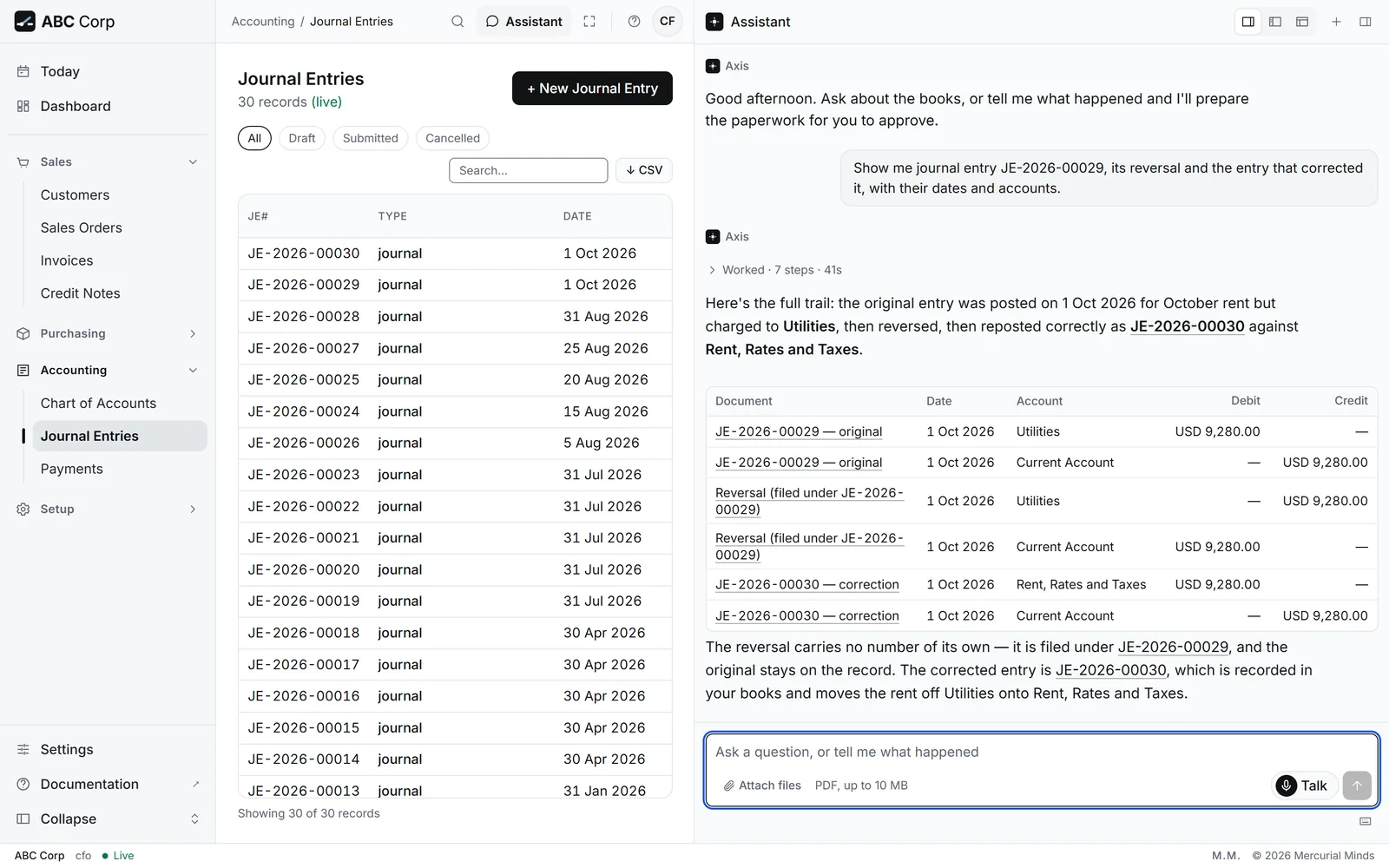
Before you start: the CFO role. In ABC Corp, JE-2026-00029 posted October's factory and office rent, USD 9,280.00, to Utilities (6140). It belongs in Rent, Rates and Taxes (6130).
JE-2026-00029 put this month's rent in Utilities. Reverse it.
- The assistant finds the entry and offers a reversal. A posted entry stays as posted, so the correction is a new entry.
- A card waits for your decision. Check the entry named on it, then press Approve.
- Then ask for the right entry: "Post USD 9,280.00 of October rent to Rent, Rates and Taxes from the Current Account." That posting waits on its own card.
- Open Accounting, then Journal Entries.
- Open JE-2026-00029 to see its two lines.
- Ask the assistant for the reversal, as the other tab shows. After it posts, the entry reads Cancelled.
What you see
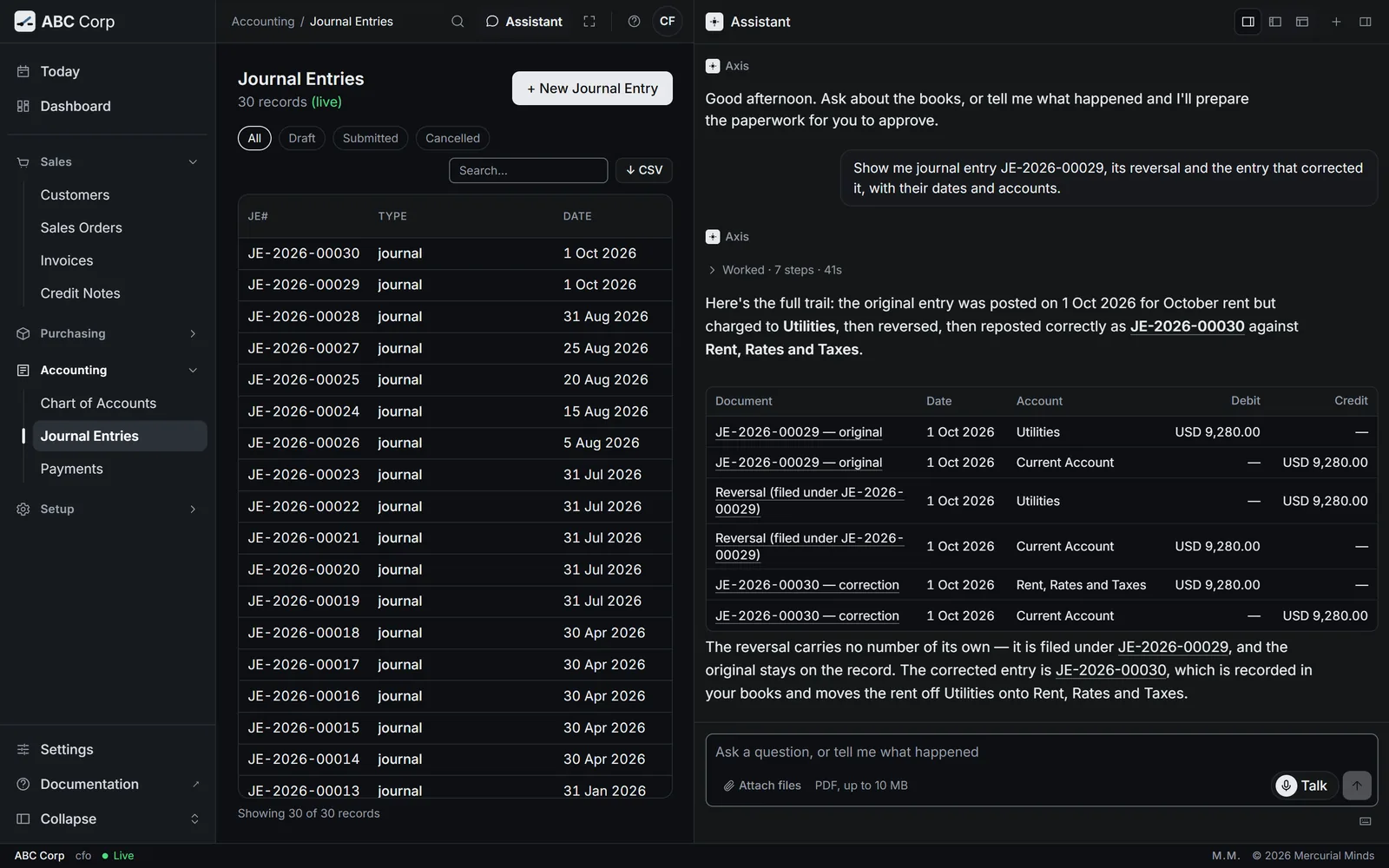
JE-2026-00029 reads Cancelled. Its two lines stand beside two reversing lines with the opposite amounts. The new entry posts the rent to Rent, Rates and Taxes.
This waits for approval
The card reads Cancel a journal entry and reverse its posting. The CFO answers it. See Approve or decline a request.
Why a reversal, and an edit stays off the table
The record shows what was posted, and when. A reversal keeps the mistake and its correction both in view, and the reports read them together. The integrity check still reads sound afterwards.
The assistant offers a reversal when you asked to edit the entry
That is the correction. Approve the reversal, then ask for the right entry.
Write off a debt
When a customer's debt is beyond collection, write it off. The invoice then reads Written off, which keeps it apart from an invoice that was paid.
Write off what Plainsview still owes on INV-2026-00017. They have ceased trading.
- The assistant prepares the write-off for the invoice's whole balance, with your reason.
- It posts to the doubtful debts expense, Provision for Doubtful Debts (6430), and clears the customer's balance.
- A card waits for your decision. Check the invoice, the amount and the reason, then press Approve.
- Open Sales, then Invoices, and open INV-2026-00017.
- Ask the assistant for the write-off, as the other tab shows. A reason is required.
This waits for approval
The card reads Write off what a customer still owes and post it as a bad debt. The CFO answers it. See Approve or decline a request.
Run the integrity check
You end with three results for the whole ledger: it balances, its chain holds, and every cancellation is complete.
Run the integrity check
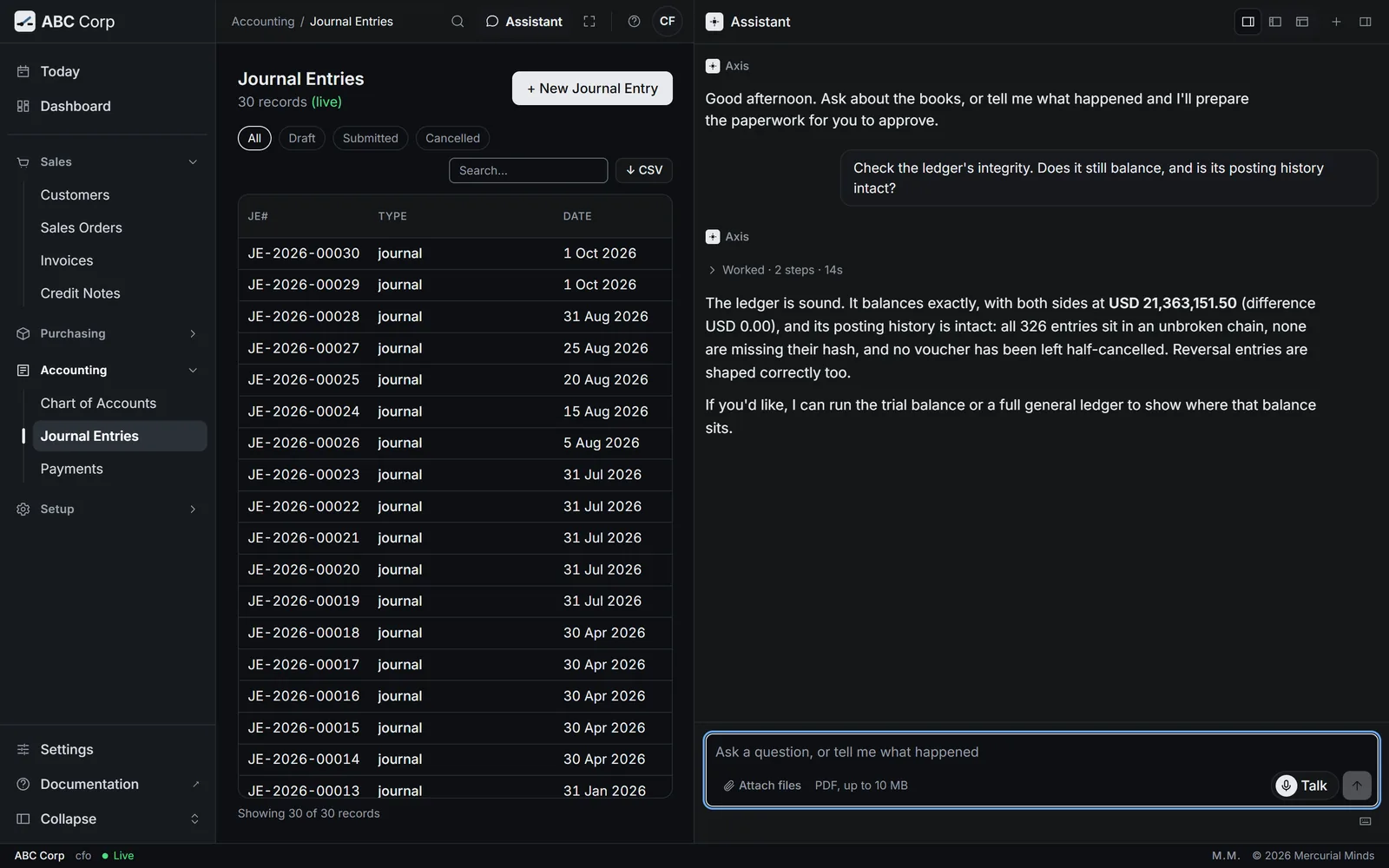
- Ask: Check the ledger integrity.
- Three results: the books balance, the chain holds, and every cancellation is complete.
Before you start: the CFO role. The CEO's seat runs it too.
Check the ledger integrity.
- The assistant adds every debit and every credit in the ledger.
- It walks the chain that links each entry to the one before it.
- It checks that every cancelled document has its full reversal.
- The check runs in the assistant. Open it from any screen and ask.
What you see
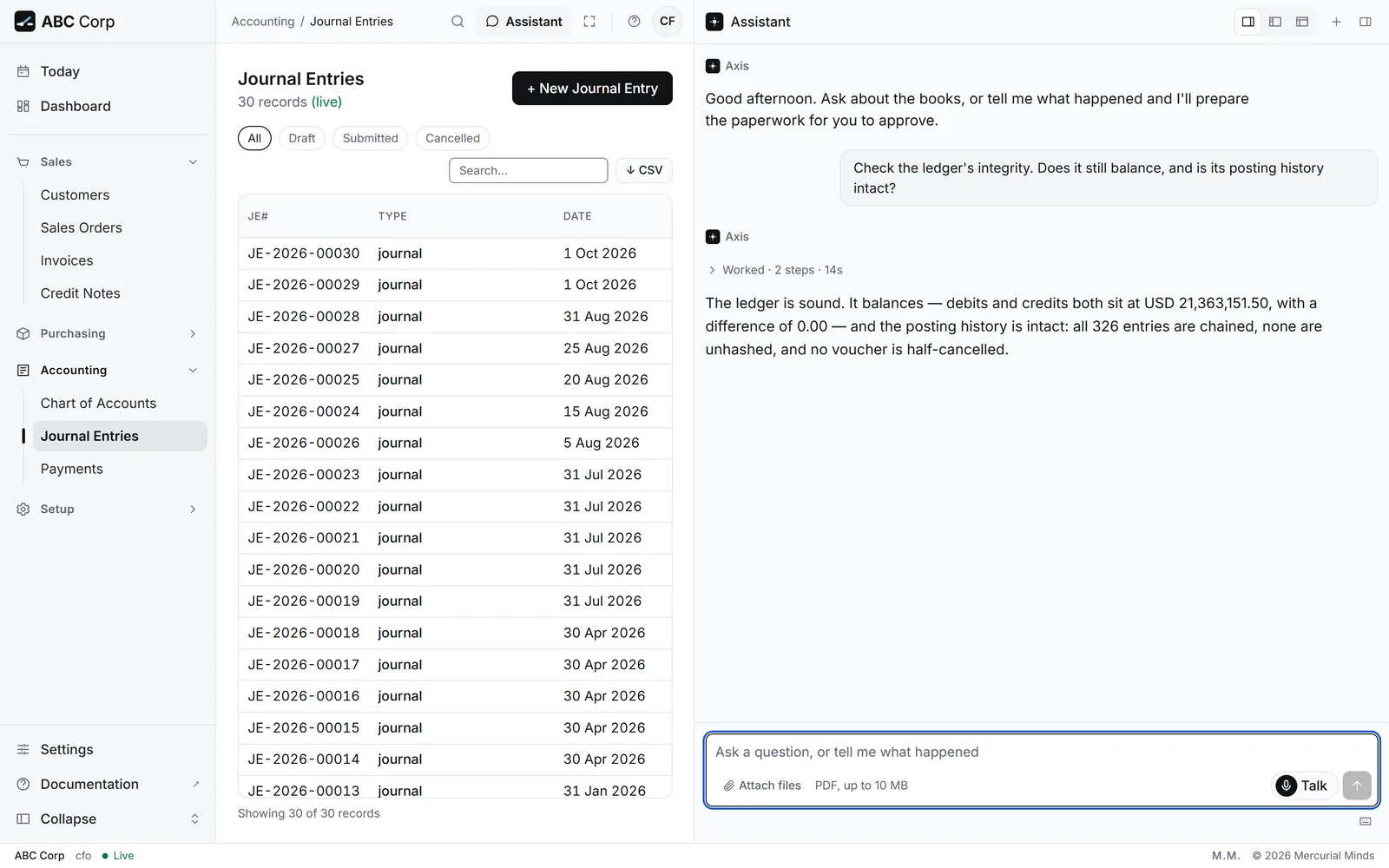
Debits equal credits, with a difference of 0.00. The chain is intact, with 0 broken links. Every cancellation is complete.
What the chain is
Each ledger entry carries a fingerprint of the entry before it. A changed entry breaks the link after it, and the check names it. See Trust in the books.
The check reports a broken link
An entry changed after it was written. Stop posting and tell the person who runs your server. The check names the entry, so they start there.
Reconcile the bank
You end with the ledger's bank balance for the month beside your bank statement, and every payment applied to its invoice.
Reconcile the bank
- Ask for the bank account's ledger for the month.
- Compare its closing balance with the bank statement.
- Find any payment still unapplied.
- Apply each one to its invoice.
Before you start: the bank statement for the month. The CFO and the GM Finance read the ledger. The Manager Accounts applies payments.
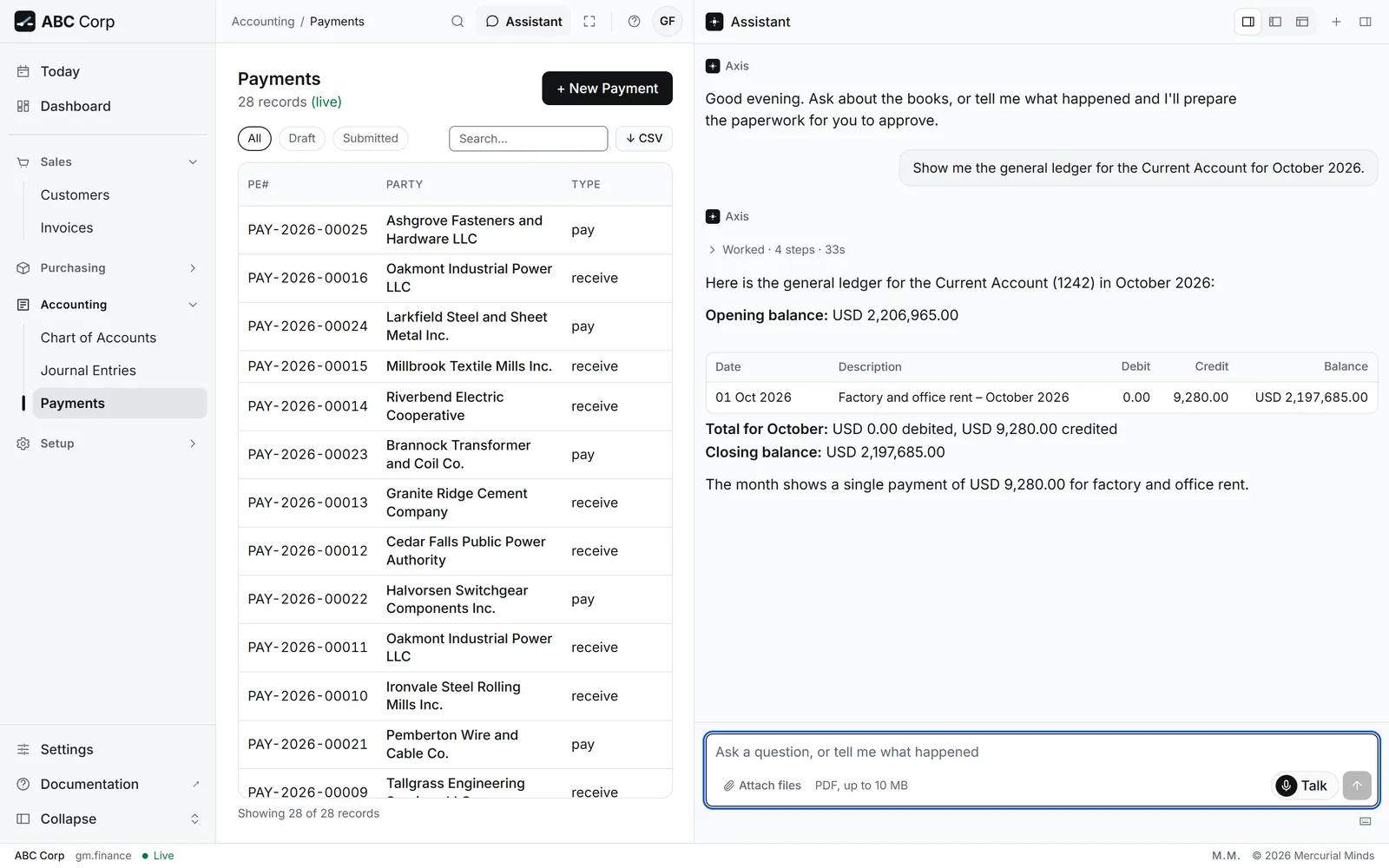
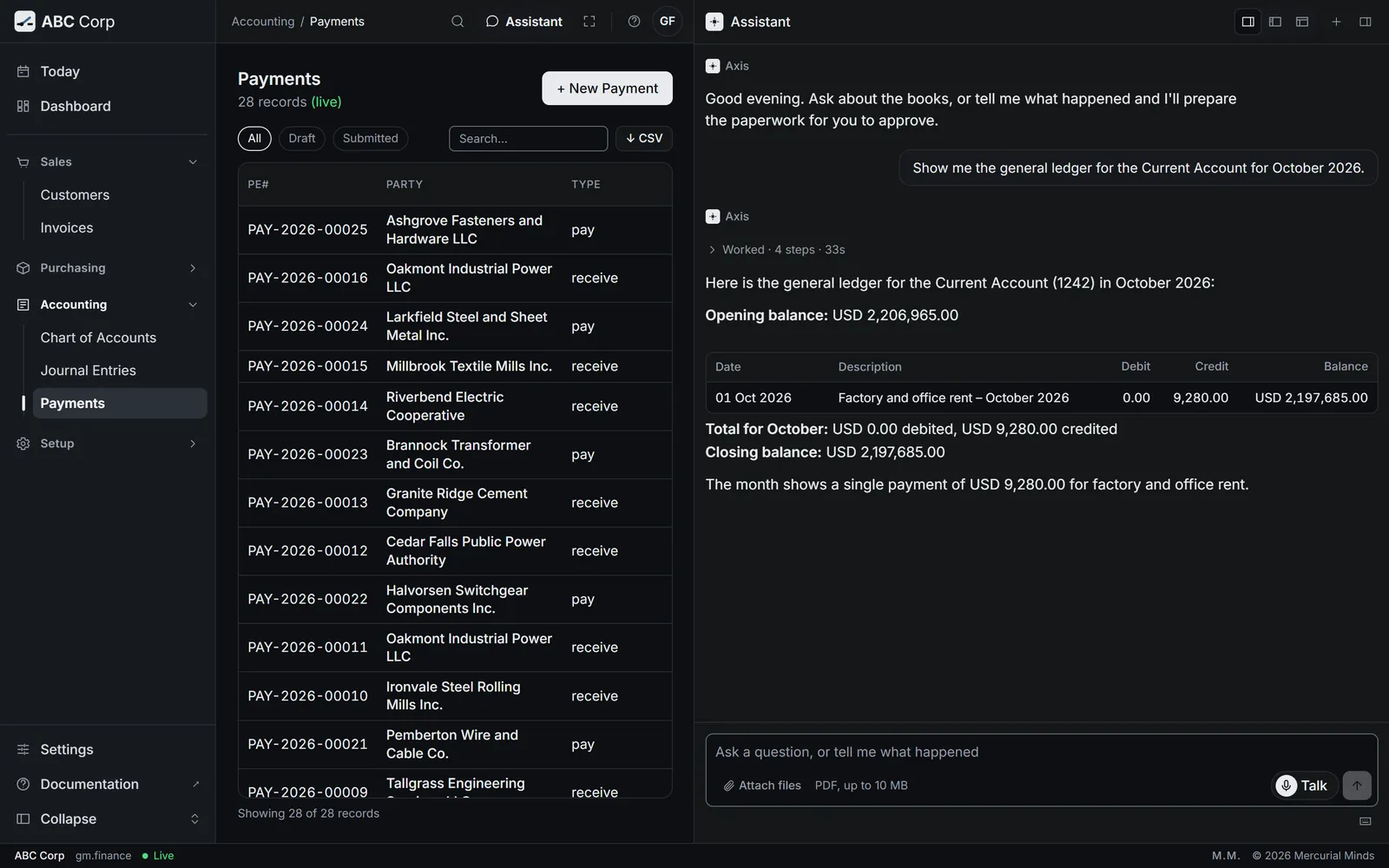
Show me the general ledger for the Current Account for October 2026.
- The assistant lists every movement on the Current Account (1242) in the month, with the running balance.
- Compare the closing balance with your statement, line by line where they differ.
- For unapplied money, ask: "Which customer payments are ready to apply to invoices?"
- Open Accounting, then Payments, to see each payment and its status.
- Open a payment to see the invoices it is applied to.
- Read the ledger and apply payments in the assistant, as the other tab shows.
What you see
The Current Account's movements for October and its closing balance. Each payment shows the invoices it settles.
What reconciling covers
Axis gives you the ledger's side: every bank movement and its balance. You compare that with your bank's statement. Applying payments to invoices keeps each customer's and each supplier's balance right.
A line on the statement is missing from the ledger
Find what it was: a bank charge, a payment received, or a payment made. Record it as a payment or a journal entry, and it then appears in the ledger.
Pay suppliers
You end with the supplier's bill paid from the bank and applied to the bill, so Payables falls by the amount.
Pay suppliers
- Ask which supplier bills are due.
- Ask to pay one, from the bank account you choose.
- Posting the payment waits on a card.
- Approve it. The bill reads paid.
Before you start: a posted supplier bill. The CFO, the GM Finance and the Manager Sales post payments.
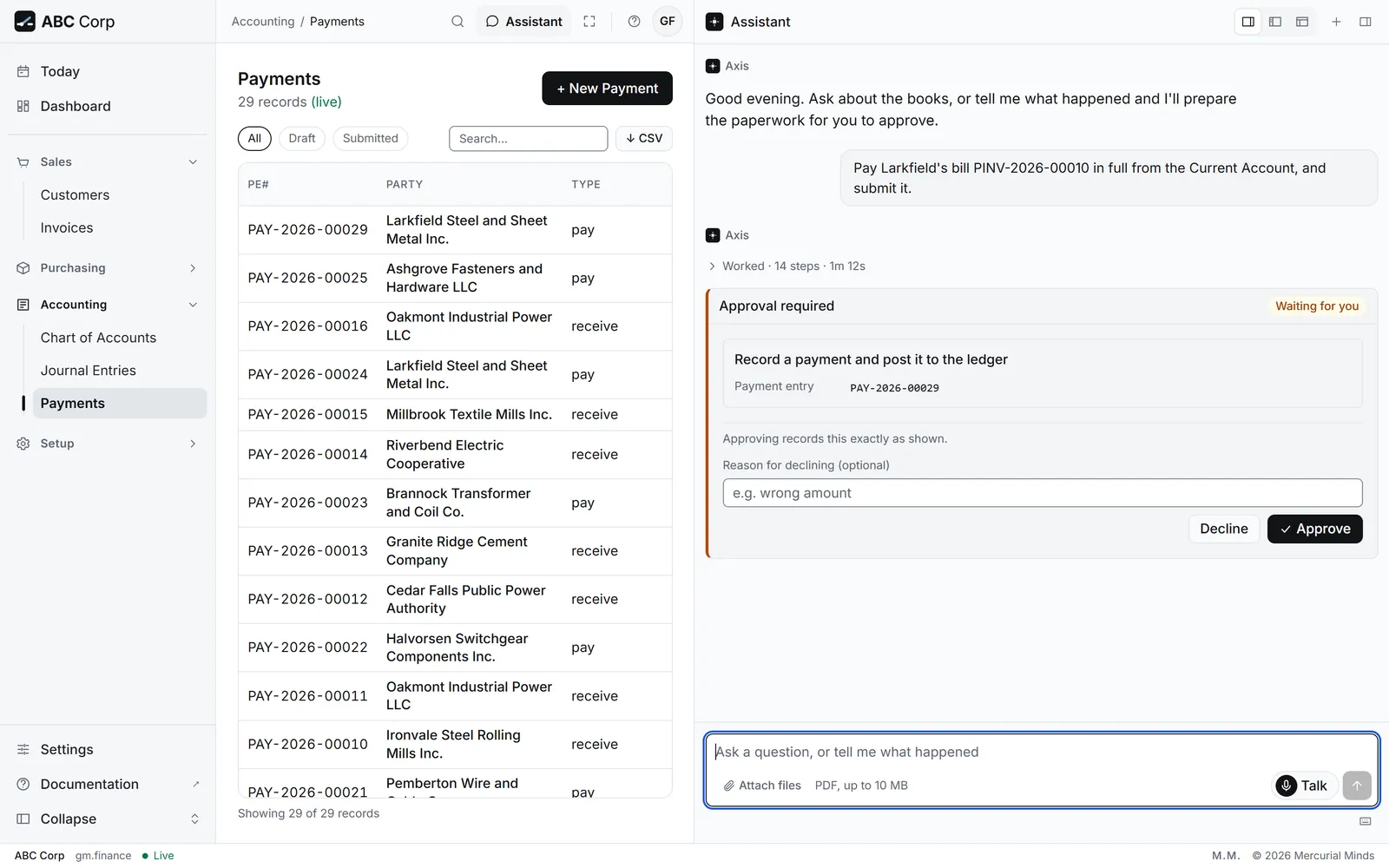
Pay Larkfield's bill PINV-2026-00010 in full from the Current Account, and submit it.
- The assistant prepares the payment to Larkfield, USD 41,040.00, applied to the bill.
- It asks to post the payment. A card waits for your decision.
- Check the supplier, the amount, the bank account and the bill, then press Approve.
- Open Accounting, then Payments.
- Press + New Payment, and choose the supplier as the Party.
- Fill in the Amount, Paid From and Paid To, then save.
- Ask the assistant to post it and apply it to the bill.
What you see
PINV-2026-00010 reads Paid. Cash falls and Payables on the dashboard falls by USD 41,040.00.
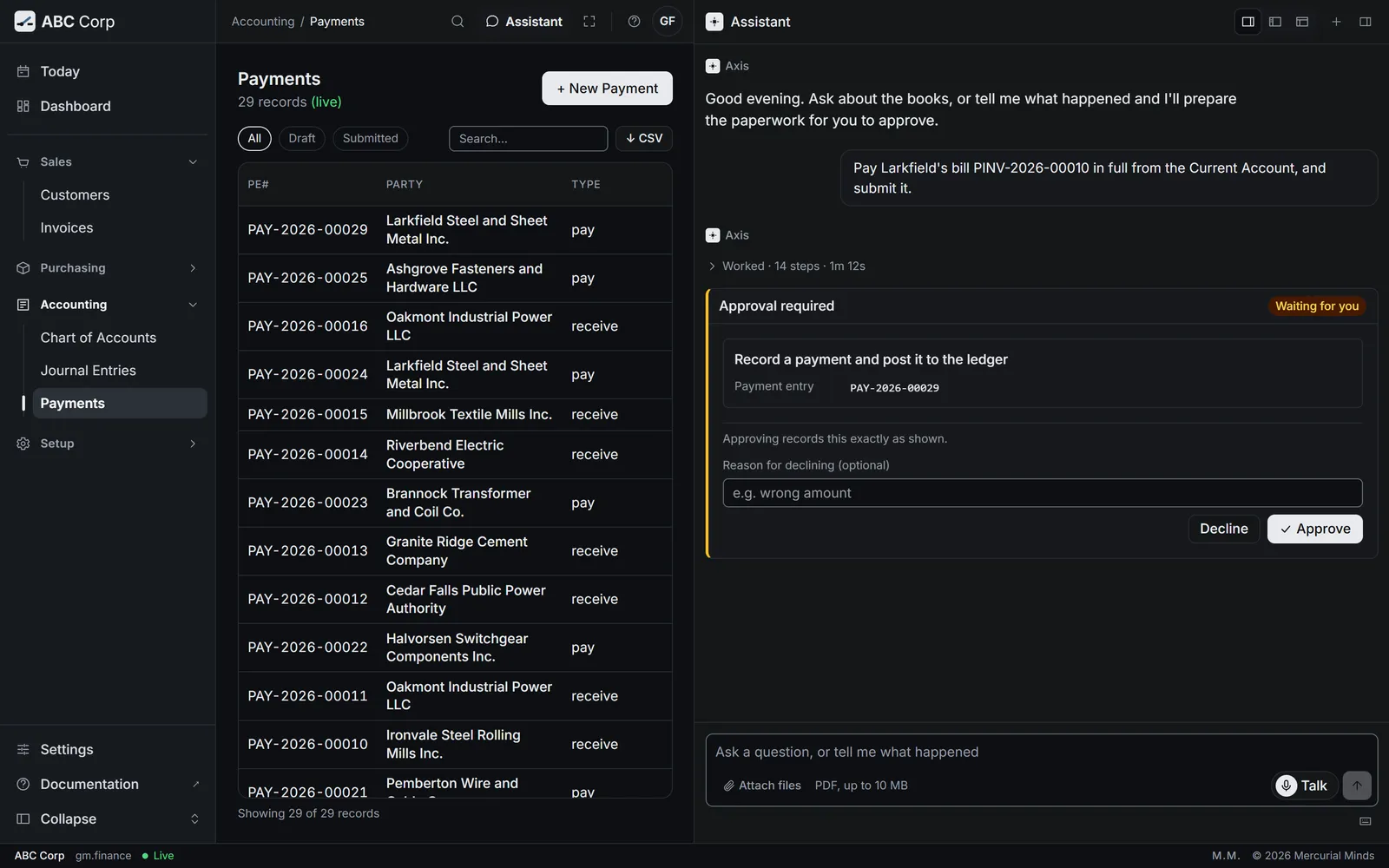
This waits for approval
The card reads Record a payment and post it to the ledger. Making a bank payment file for your bank waits on its own card, Generate a bank payment file, and the CEO's seat holds that one. See Approve or decline a request.
The bill still reads as owed after the payment
The payment posted on its own. Ask the assistant to apply it to the bill.
Revalue foreign balances
You end with each foreign-currency balance stated at the period-end rate, and the gain or loss posted.
Revalue foreign balances
- Record the period-end exchange rate.
- Ask the assistant to revalue foreign balances as at that date.
- Each foreign-currency account is restated at the new rate.
- The gain or loss posts to the exchange accounts.
Before you start: the CEO's seat, which holds revaluation in the shipped roles. Your company needs an exchange gain and loss account, and a rate for the date.
Revalue our foreign-currency balances as at 31 October 2026.
- The assistant shows you an approval card for the revaluation. The entries post once you approve it.
- Once you approve, Axis reads each foreign-currency account and the rate for the date.
- It restates each balance and works out the difference.
- It posts the revaluation entries to Exchange Gain (4220) or Exchange Loss (6410).
- The revaluation runs in the assistant. Ask it from any screen.
- Open Accounting, then Journal Entries, to see the revaluation entries it posted.
What you see
A revaluation entry for each foreign-currency balance, with the rate used and the gain or loss.
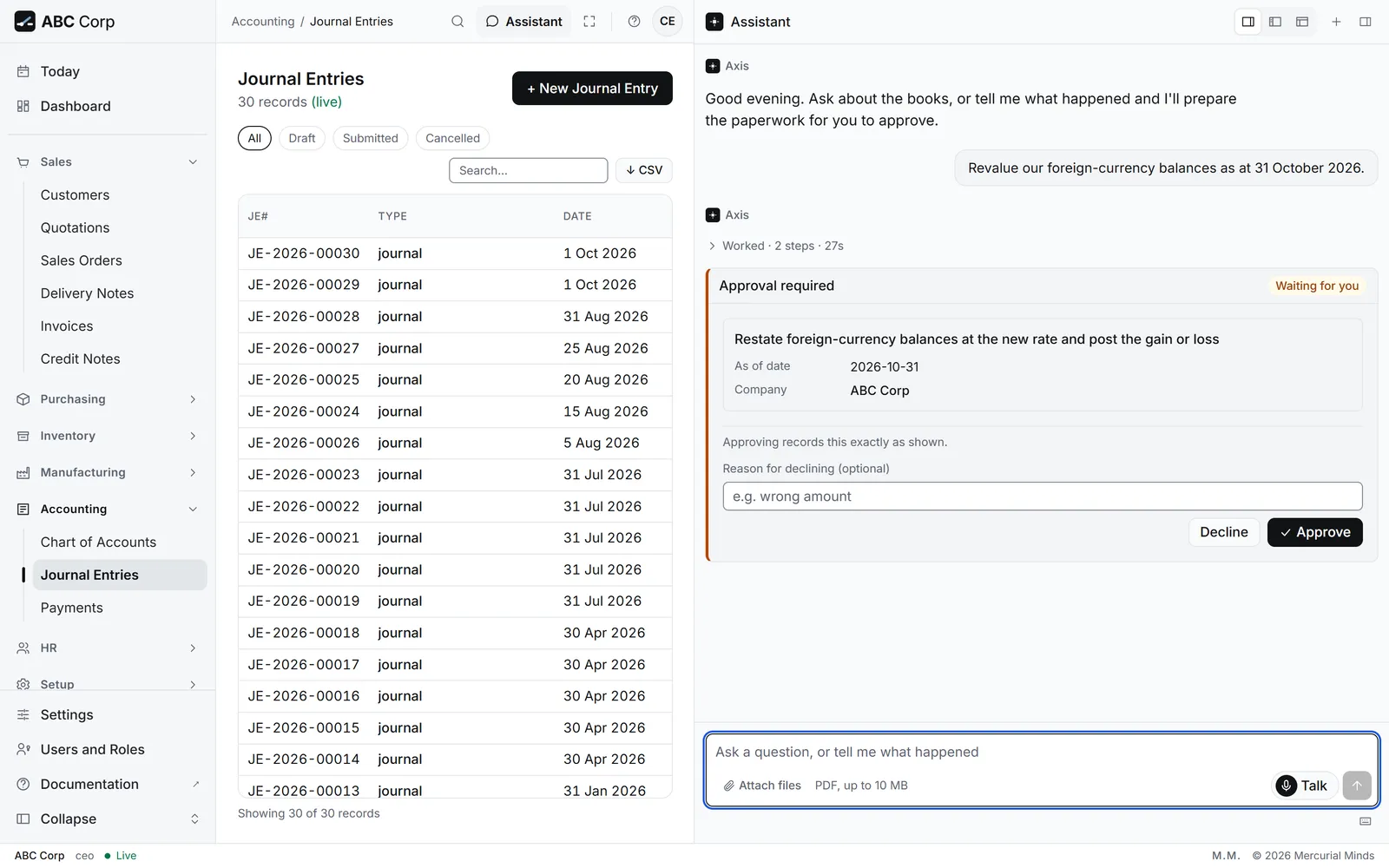
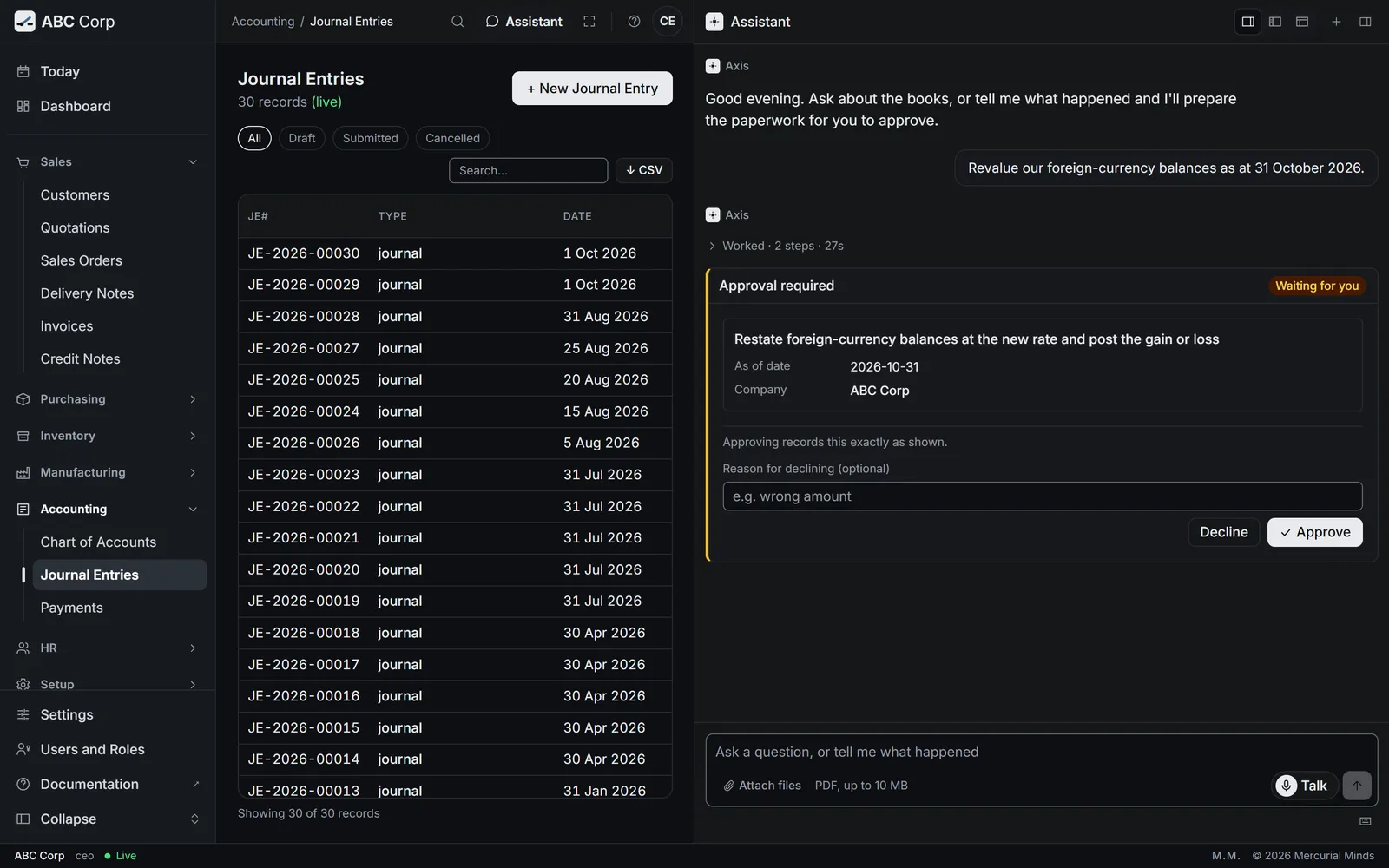
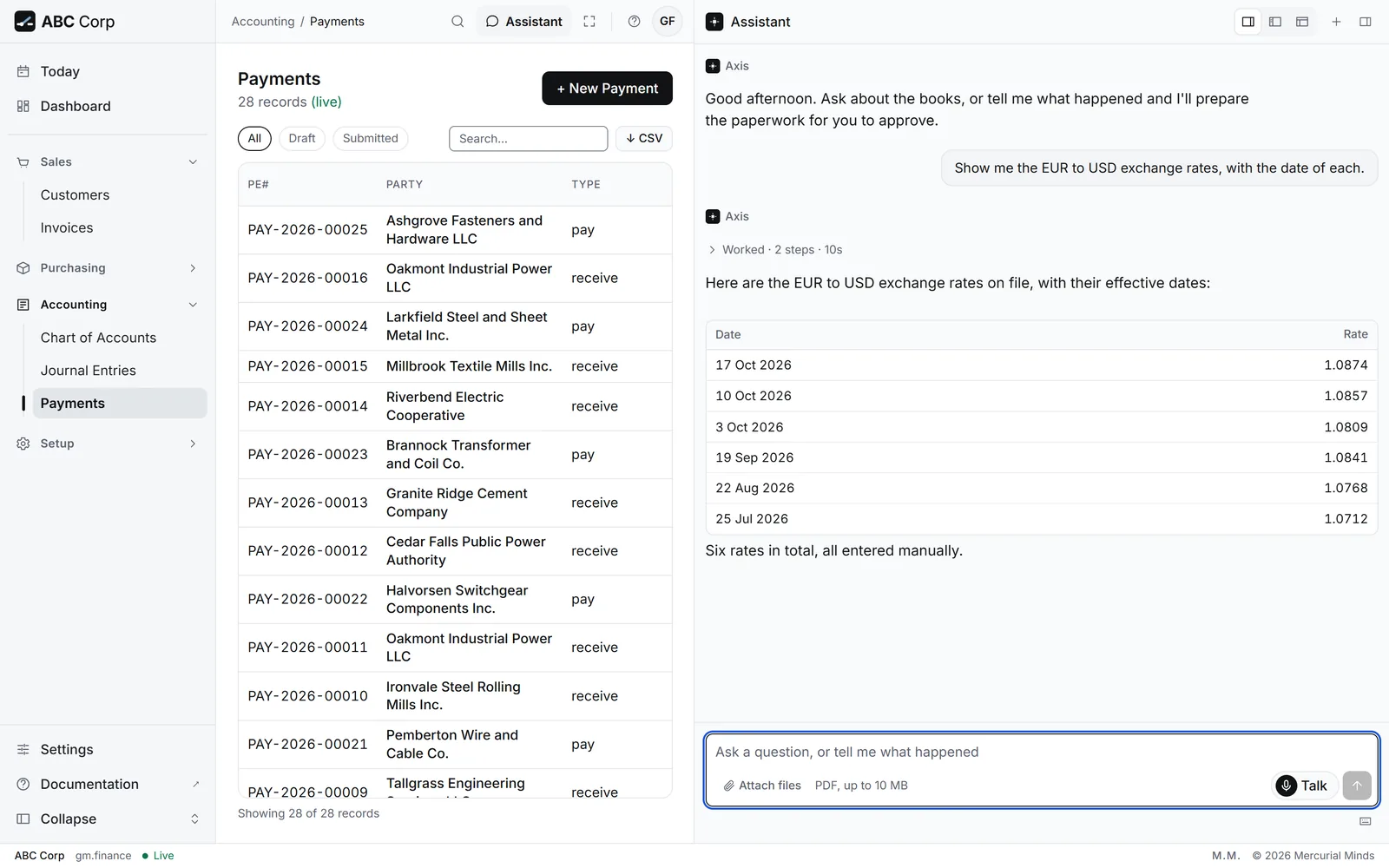
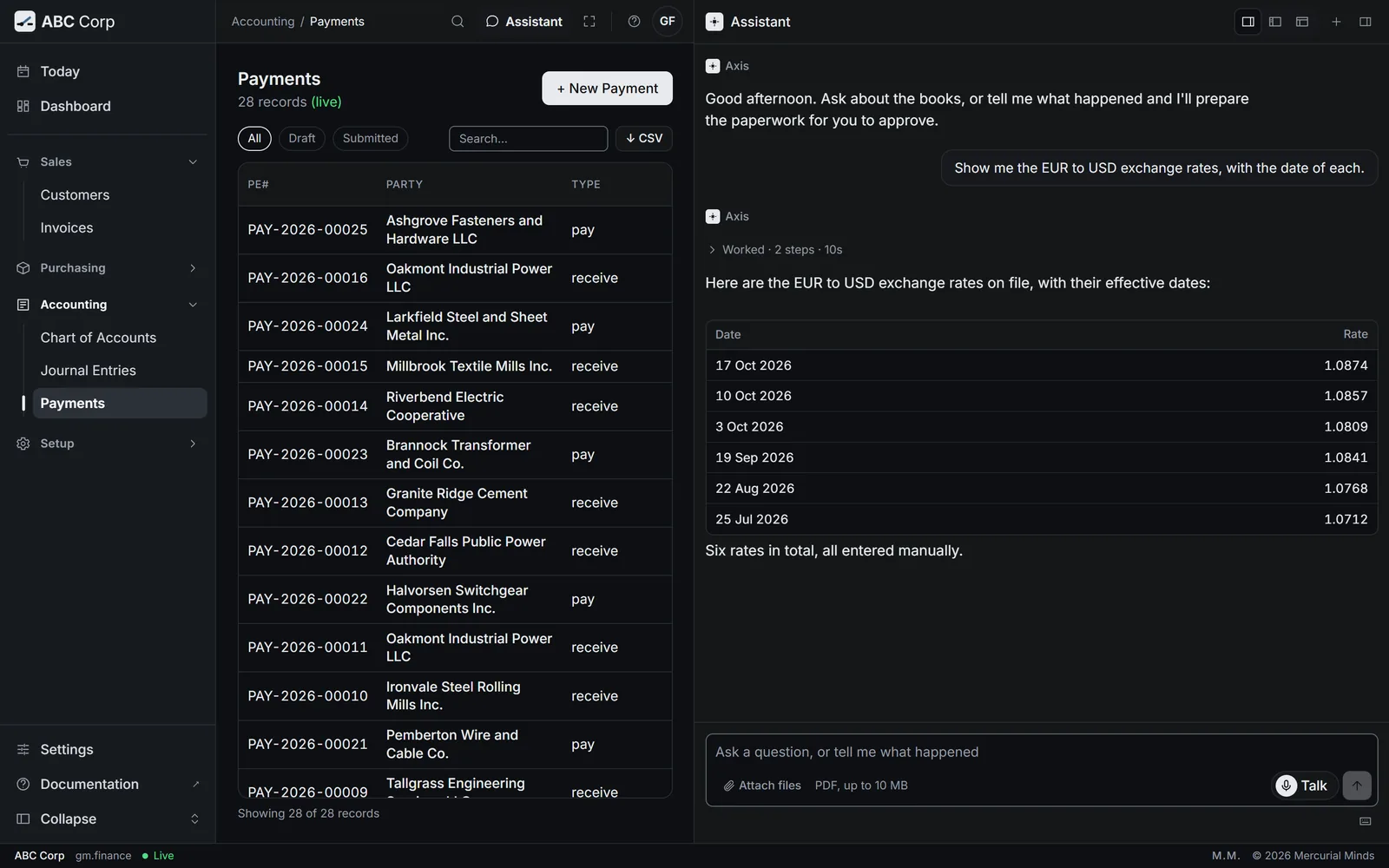
It posts when you ask
The revaluation posts its entries as soon as it runs. Ask for it once the period-end rates are final. ABC Corp trades in US dollars, so its own ledger holds dollar balances.
Company has no exchange_gain_loss_account_id configured
The company needs an account for exchange gains and losses. Ask your administrator to set it on the company. ABC Corp's chart holds Exchange Gain (4220) and Exchange Loss (6410).
Read the financial statements
You end with the statement you asked for, read straight from the ledger: the trial balance, profit and loss, the balance sheet or cash flow.
Read the financial statements
- Ask for the statement and the period.
- The assistant reads it from the ledger.
- Each figure is an exact amount, to the cent.
- Open any figure's ledger lines to see where it came from.
Before you start: the CFO reads every statement. The GM Finance reads all but cash flow. The Manager Accounts reads the trial balance.
Profit and loss for the year so far.
- The assistant reads income and expense for the period from the ledger.
- It gives the totals and the result for the period.
- Ask for any other statement in the same way: "Where does the balance sheet stand?" or "Show me the trial balance."
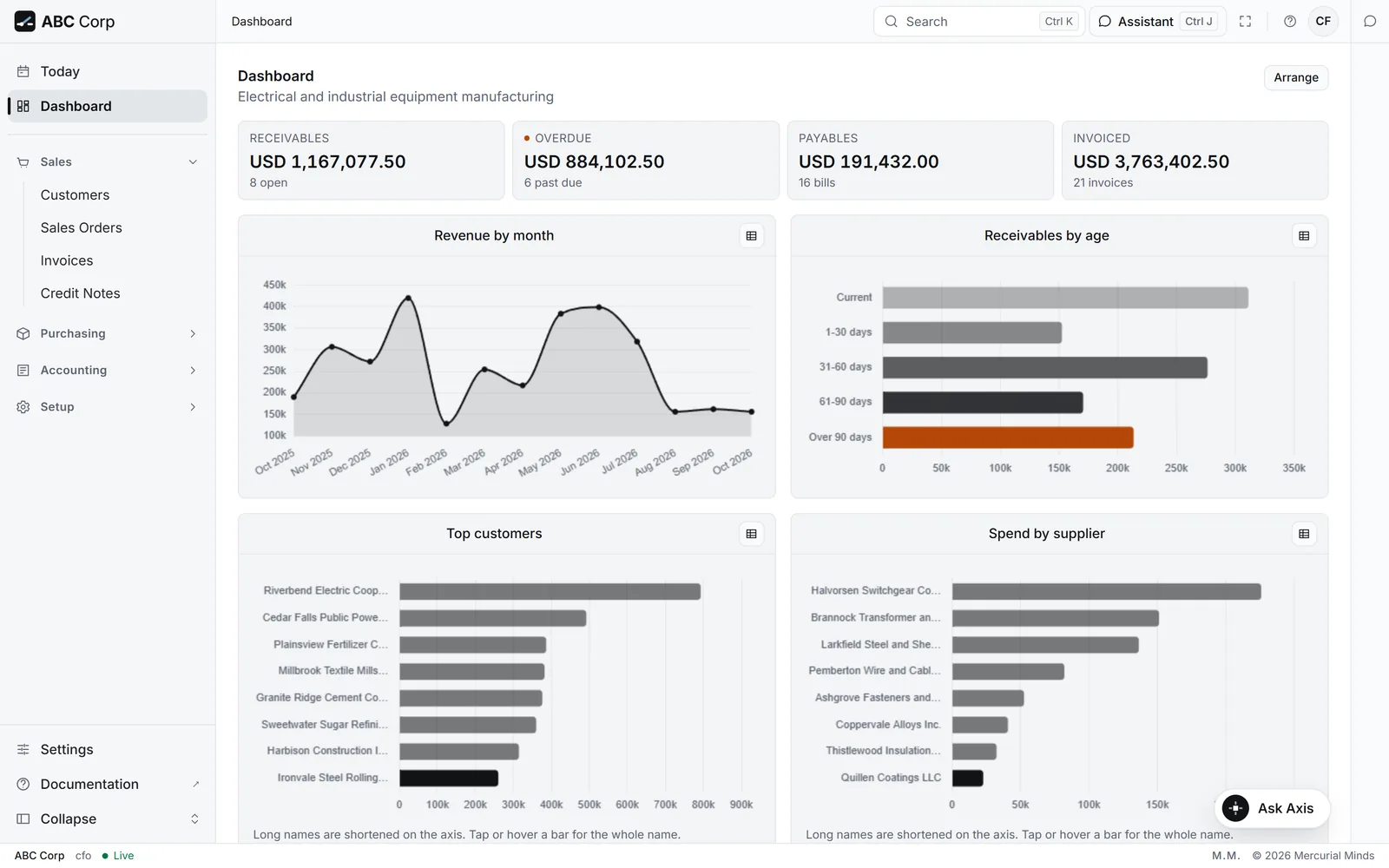
- Open the Dashboard. Invoiced, Receivables, Overdue and Payables sit at the top.
- Press a figure to open the list behind it.
- Ask the assistant for the full statements, as the other tab shows.
What you see
The statement for the period. On the trial balance, total debits equal total credits.
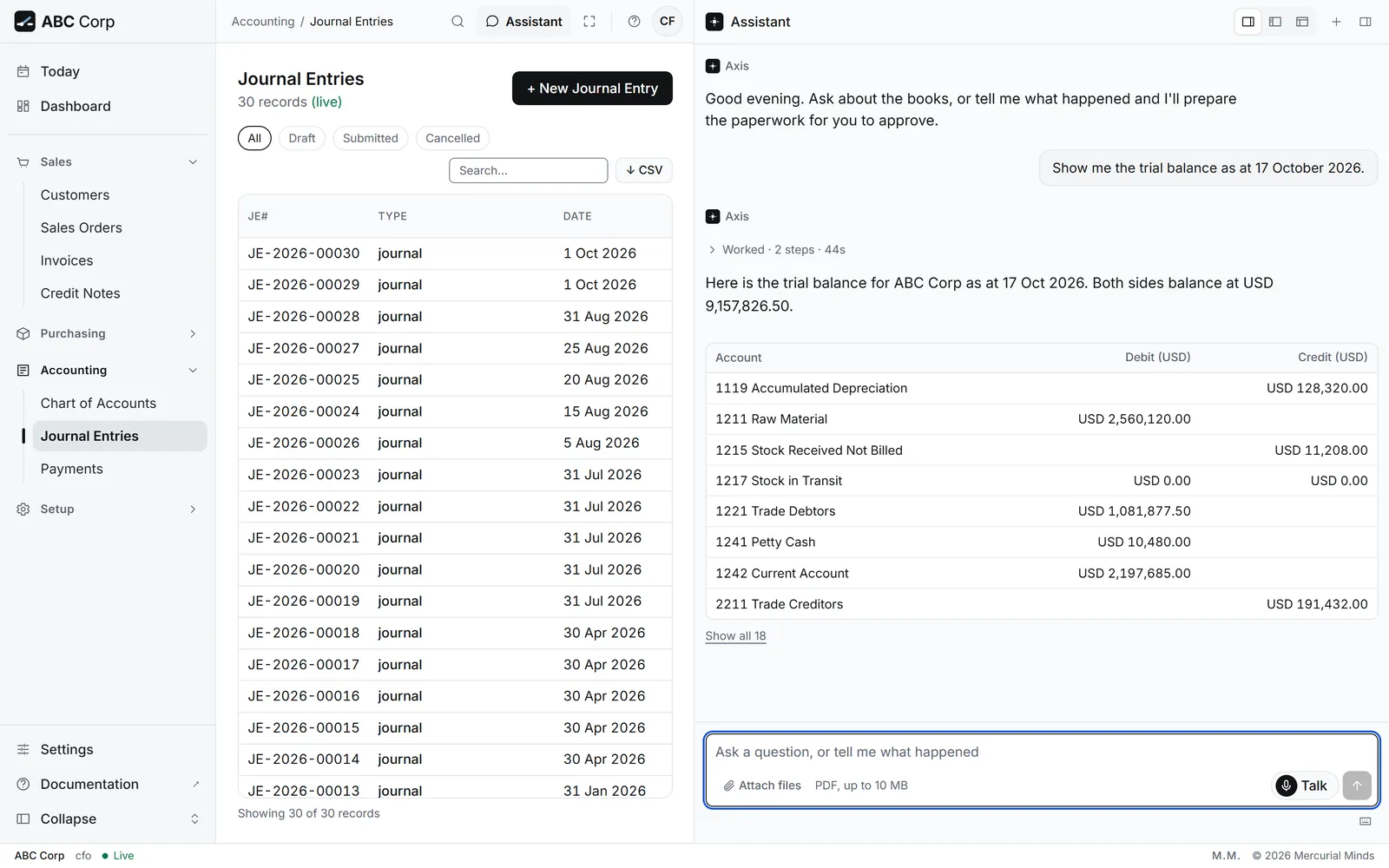
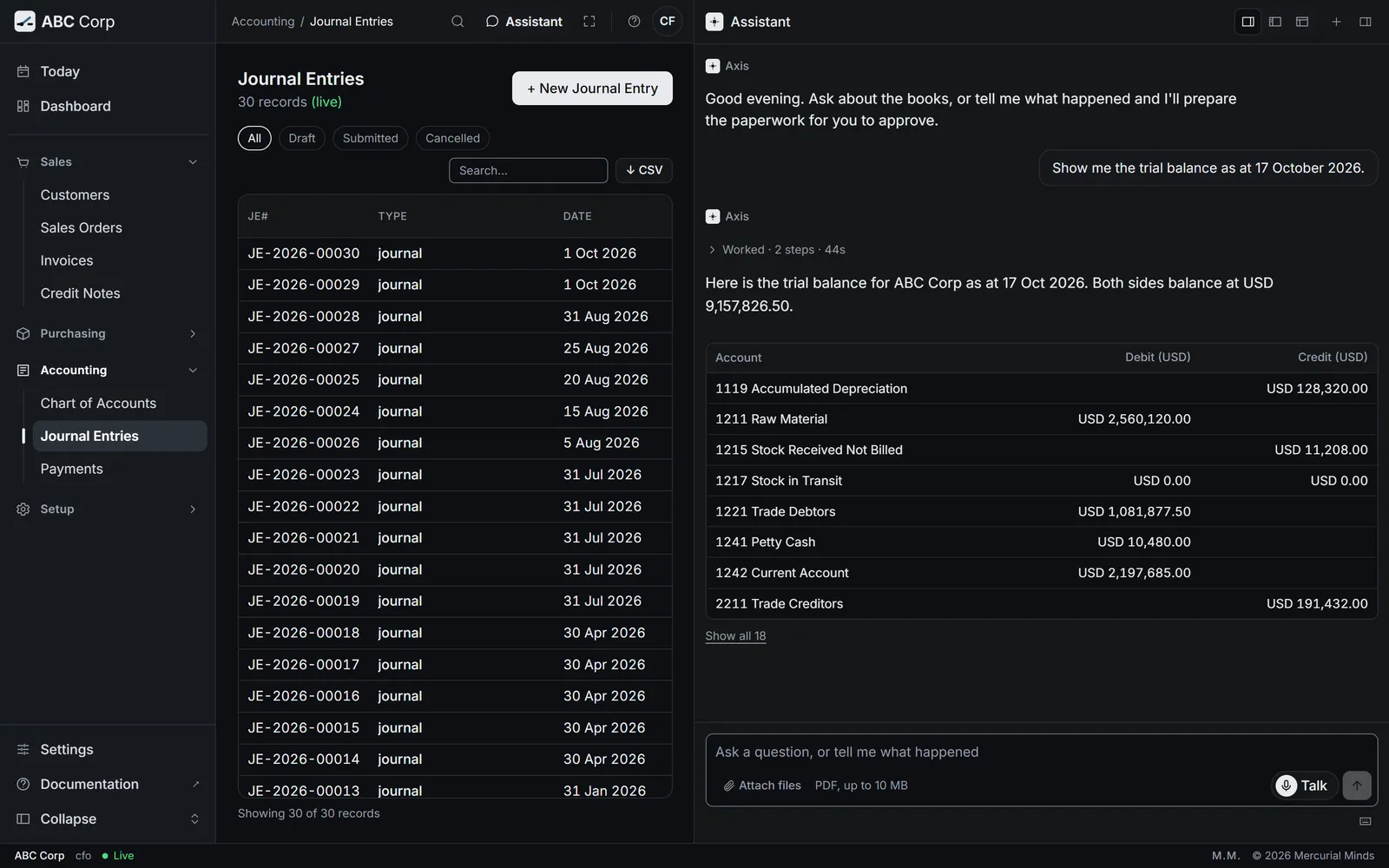
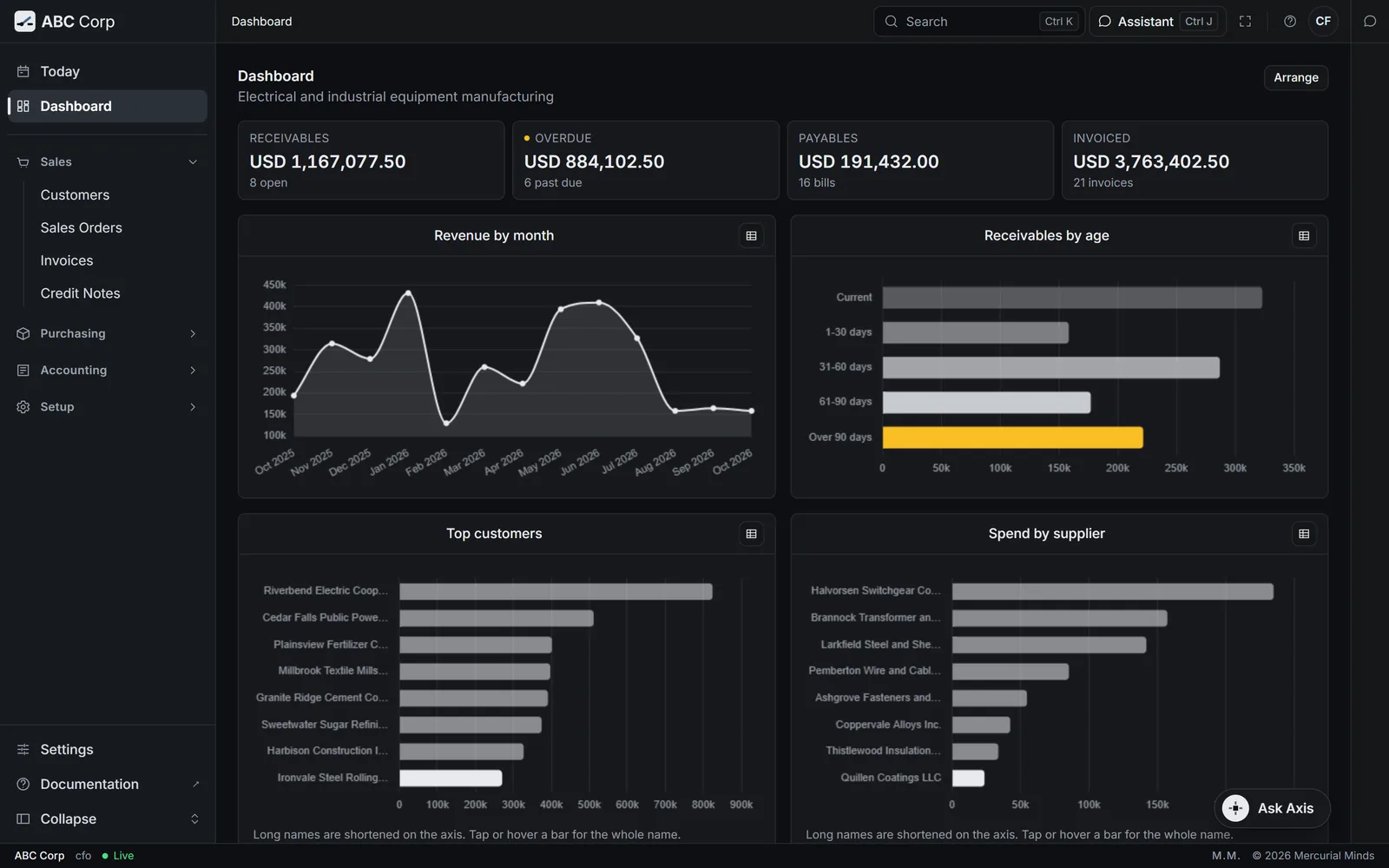
Each figure, from the ledger
The dashboard's Receivables and Payables read the same records as the control accounts on the balance sheet, so the two agree. See Screens and figures.
The figures cover the wrong months
Name the period: "for October 2026", or "for the year ended 31 December 2025". ABC Corp keeps a calendar year.
Close a period
You end with the financial year closed: its result moved into retained earnings, and its entries locked.
Close a period
- Ask whether the year is ready to close.
- Read its income, its expenses and its net result.
- Closing waits on a card. Approve it.
- The year reads closed in Settings.
Before you start: the CFO role, and a year whose postings are final. ABC Corp keeps a calendar year: AC FY 2025-01-01 to 2025-12-31.
Is the 2025 financial year ready to close? Then close it into Retained Earnings.
- The assistant checks the year: income, expenses, the net result and whether the trial balance balances.
- It prepares the close, with the net result going to Retained Earnings (3300).
- A card waits for your decision. Check the year, the account and the date, then press Approve.
- Open Settings.
- Under Financial years, each year shows its Starts, Ends and Status.
- Close the year in the assistant, as the other tab shows. Its status then reads closed.
What you see
The year reads closed. A closing entry moves the year's net result into Retained Earnings, and the year's entries are locked.
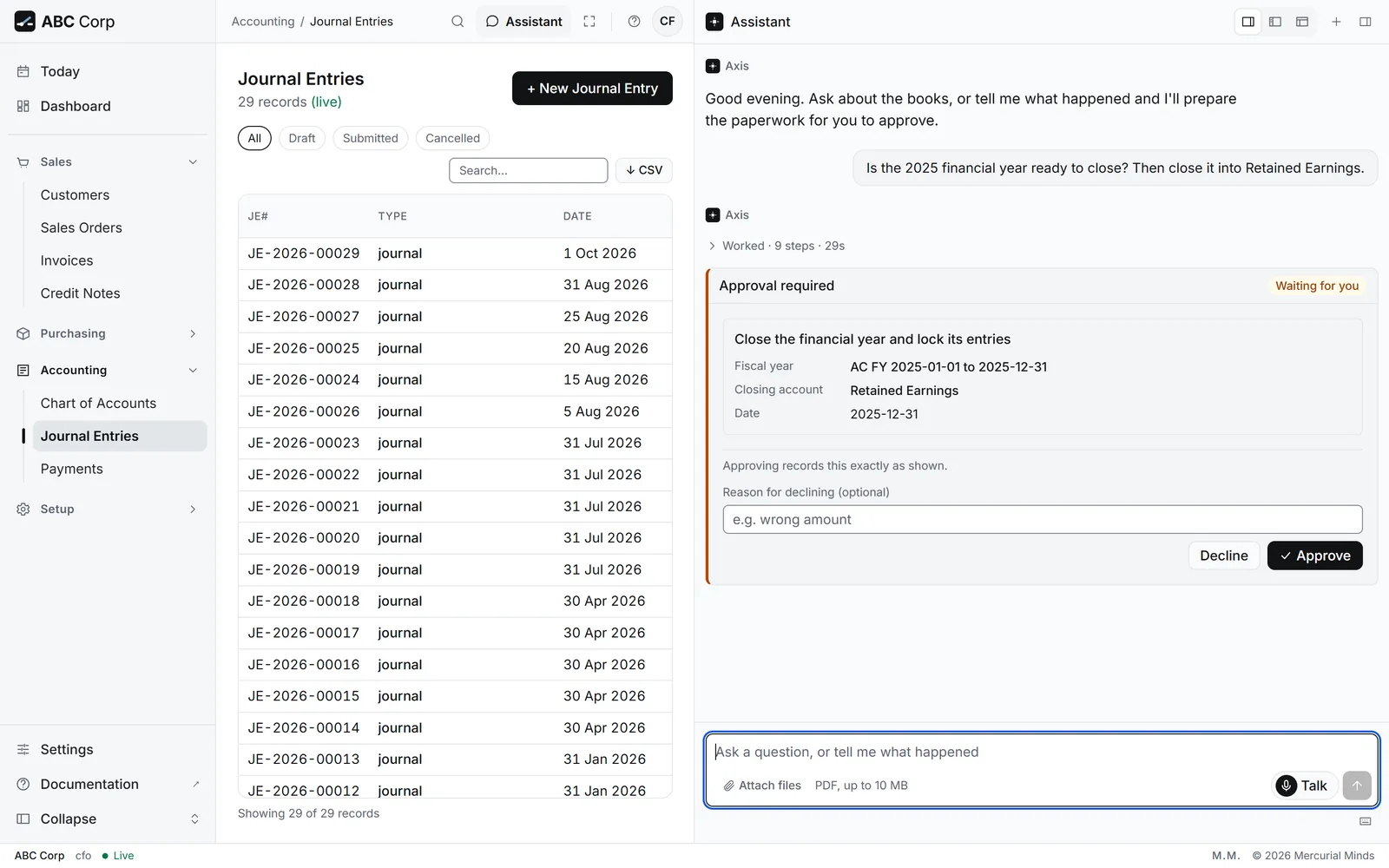
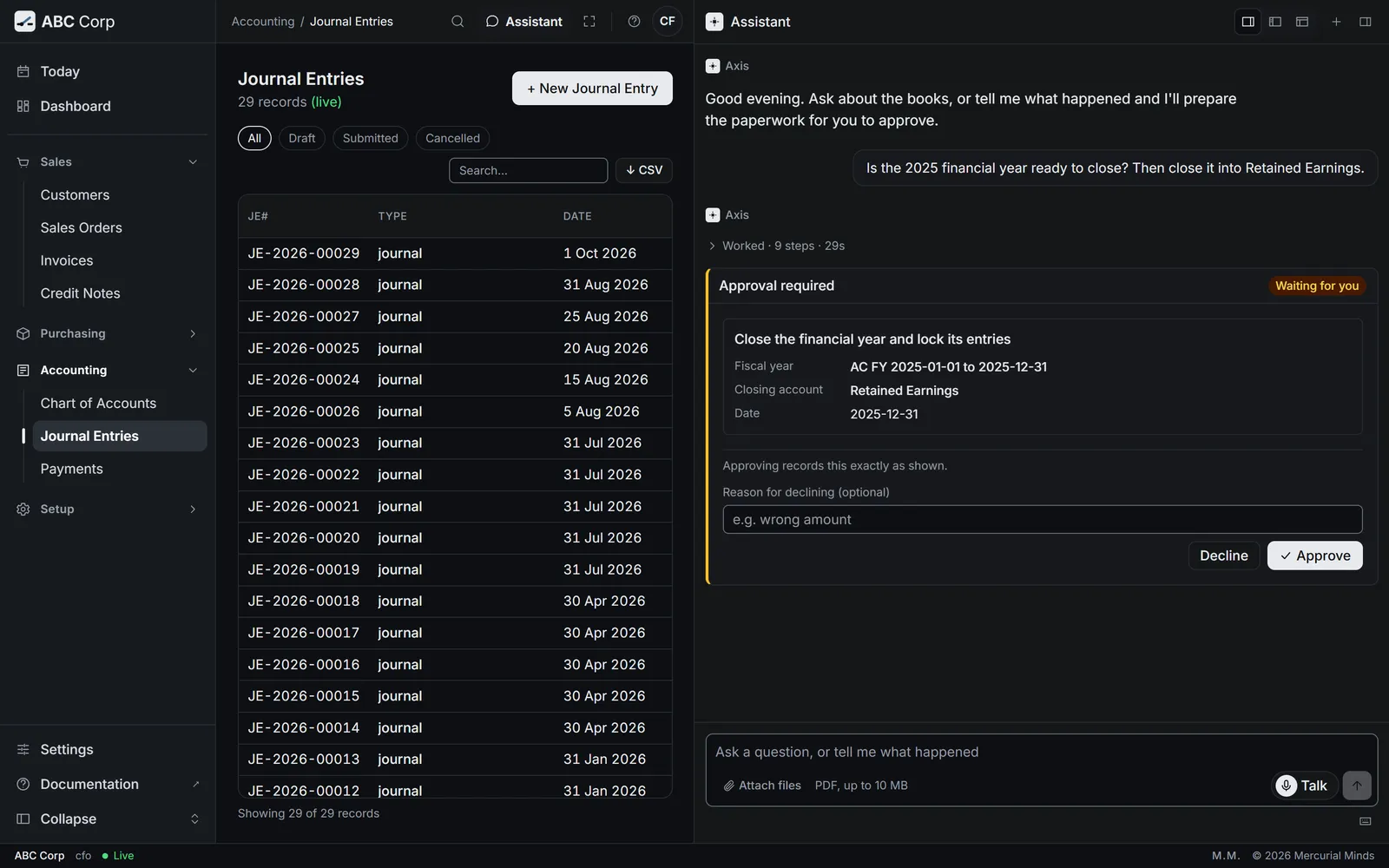
This waits for approval
The card reads Close the financial year and lock its entries. The CFO answers it. Reopening a closed year waits on its own card, and the CEO's seat holds it. See Approve or decline a request.
Closing account must be an equity account (retained earnings)
Name the retained earnings account as the destination. In ABC Corp that is Retained Earnings (3300).
The trial balance shows a difference
Run the integrity check first, and close the year once it reads sound.
Approve expense claims
You end with the claim approved and posted, owed to the employee who made it.
Approve expense claims
- Today counts the claims ready for your approval.
- Read each claim's lines and total.
- Approving posts the claim, so it waits on a card.
- Approve it, or reject it with a reason.
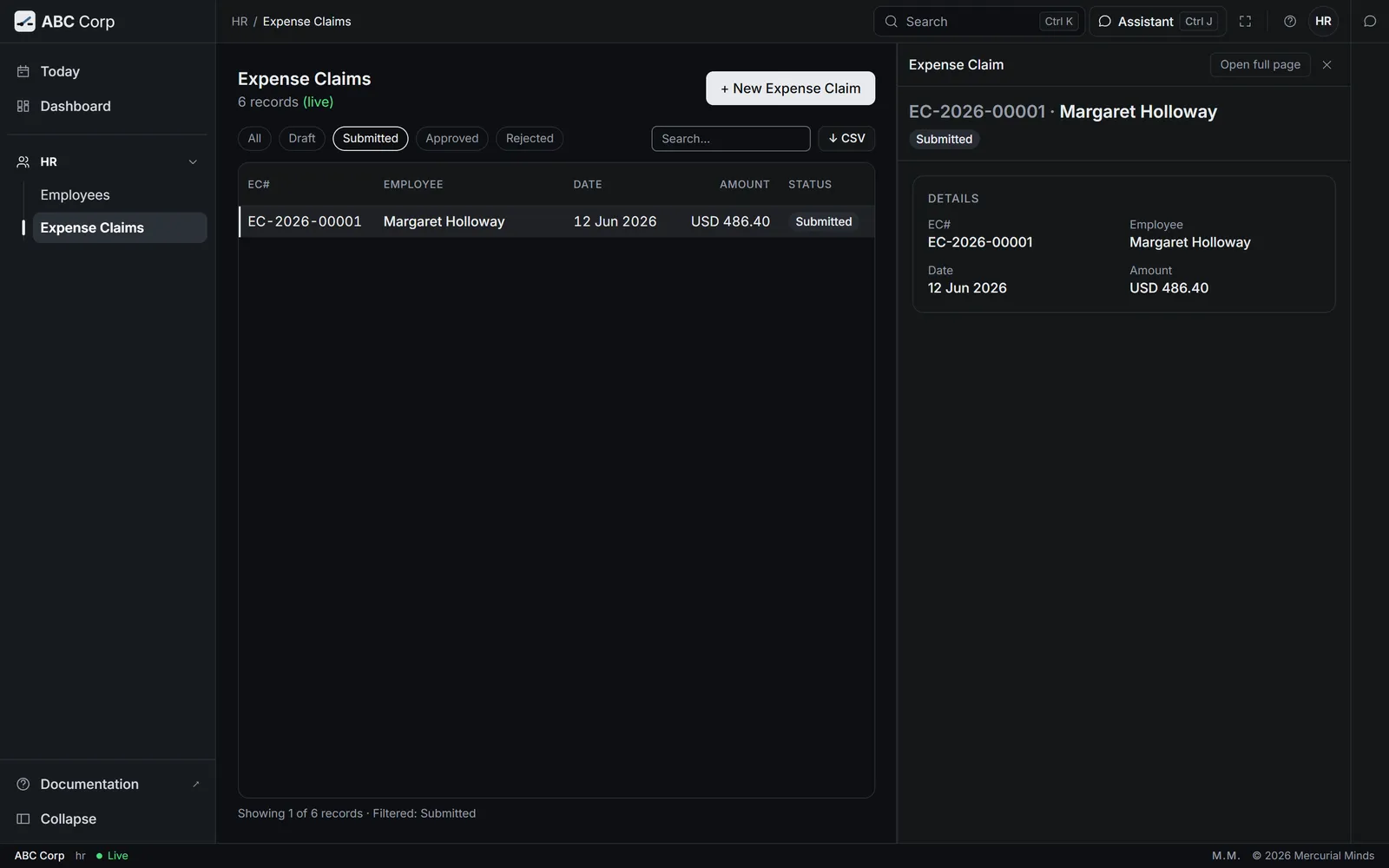
Before you start: the Manager Admin HR role, and a submitted claim. In ABC Corp, the six seeded claims are drafts. The Manager Admin HR submits a draft claim first. Ask: "Submit expense claim EC-2026-00001 for approval."
Which expense claims are ready for approval, and what do they total?
- The assistant lists the submitted claims, with each employee and total.
- Ask to approve one: "Approve Daniel Okafor's claim EC-2026-00002."
- A card waits for your decision. Check the employee, the lines and the total, then press Approve.
- Open Today. The line expense claims to approve counts them.
- Press the line. Expense Claims opens on the submitted claims.
- Open a claim to read its lines, then approve it in the assistant.
What you see
The claim reads Approved, and its total is owed to the employee.
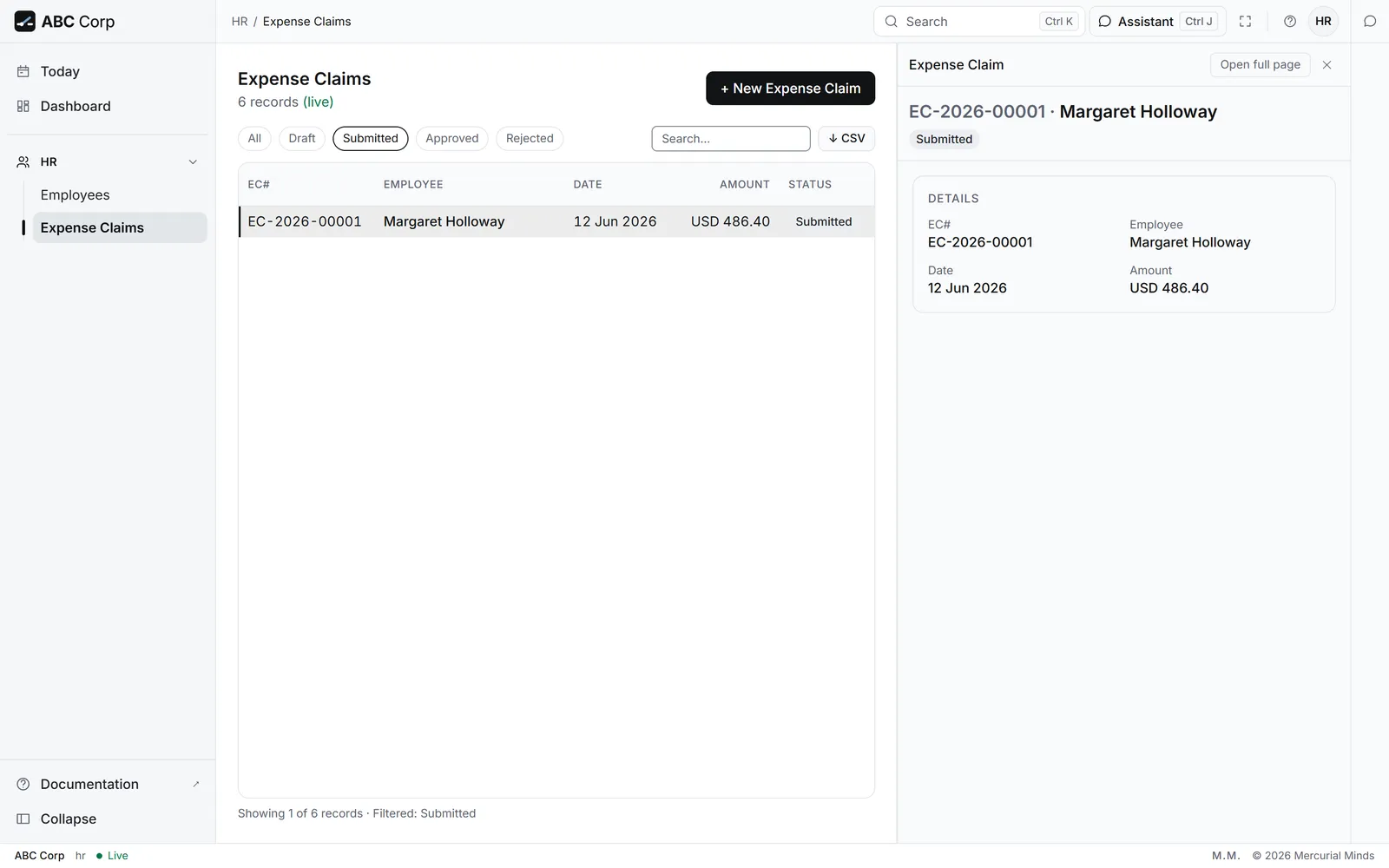
This waits for approval
The card reads Approve an expense claim and post it to the ledger. Rejecting a claim waits on its own card, Reject an expense claim. The Manager Admin HR answers both. See Approve or decline a request.
cannot be approved. Current status: draft (must be 'submitted')
The claim is still a draft. It reaches you once it is submitted.
Run payroll
You end with the month's payroll posted: a salary slip for each employee, and the net pay owed to each person.
Run payroll
- Start the payroll run for the month.
- Generate a salary slip for each employee.
- Read the run's total.
- Posting the payroll waits on a card. Approve it.
Before you start: the Manager Admin HR role, and employees with a salary structure. ABC Corp pays its staff on the Engineering Staff Package: base pay plus a housing allowance, monthly.
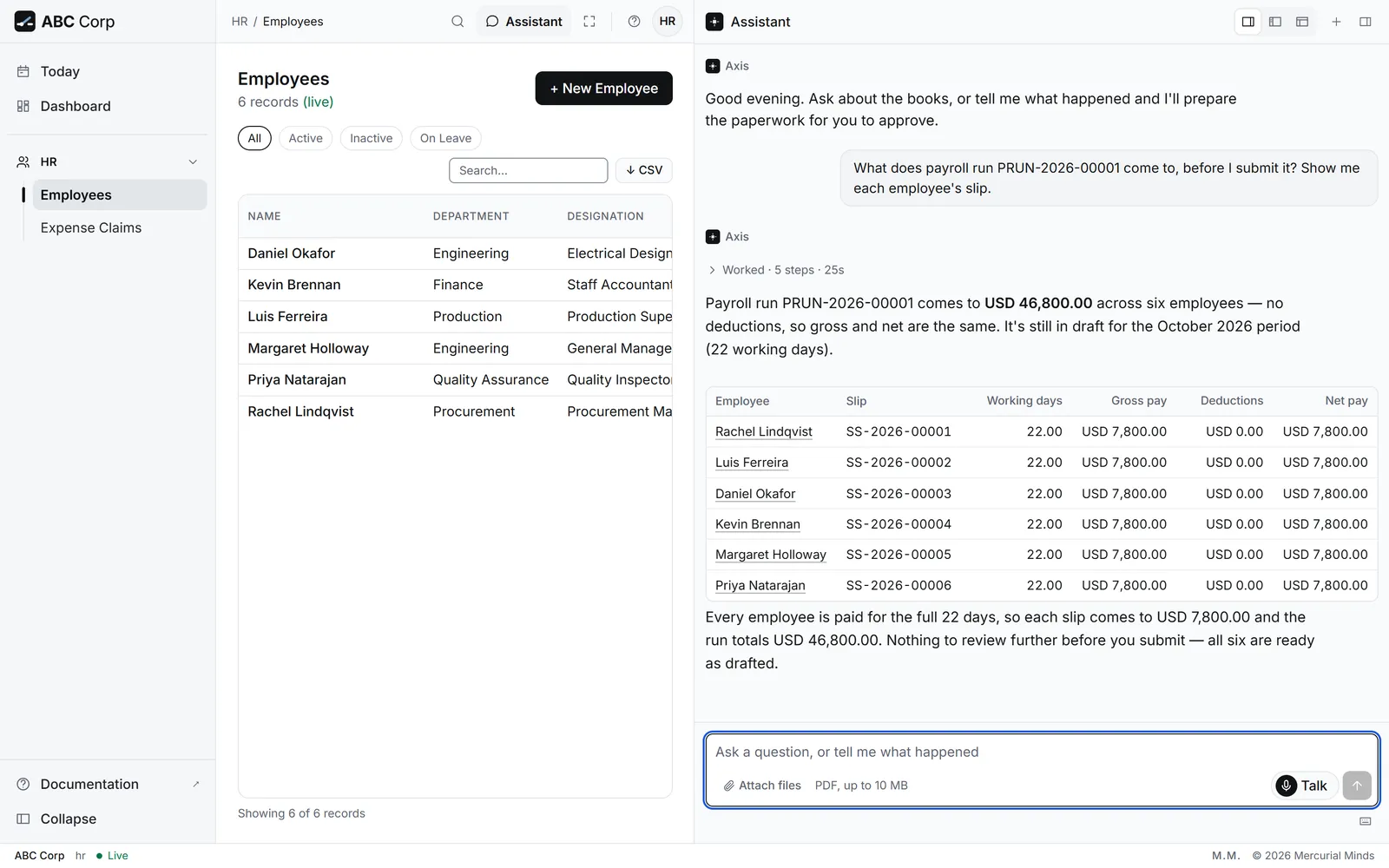
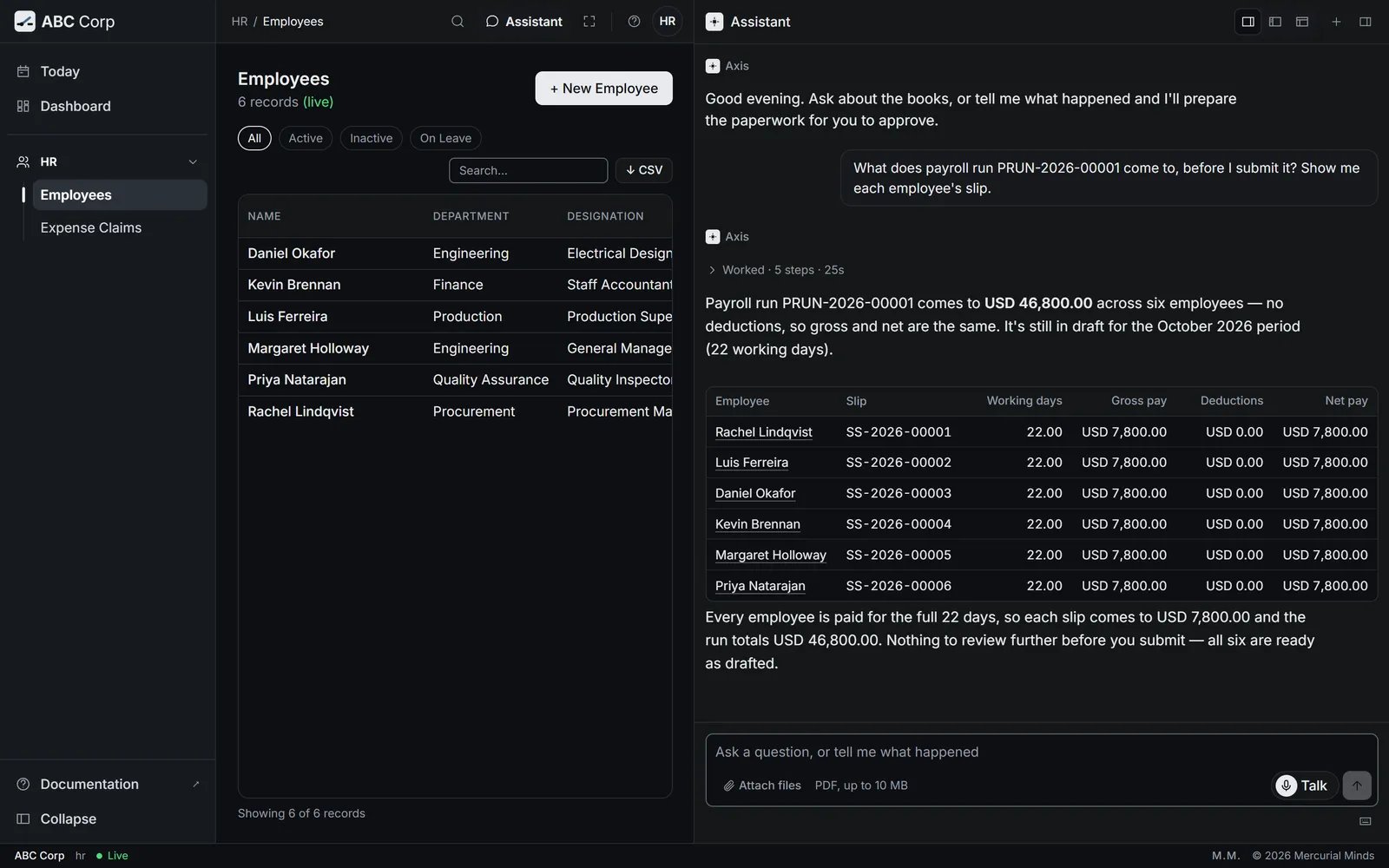
Prepare this month's payroll and tell me what it comes to.
- The assistant asks to start the payroll run. A card waits for your decision.
- Once you approve, press Next: Generate the salary slips for this run. The assistant makes a slip for each employee and gives the total.
- Read the slips. Then ask: "Submit this payroll run." That posting waits on its own card.
- Open HR, then Employees, to check who is on the books.
- Run the payroll in the assistant, as the other tab shows.
What you see
The run reads submitted. Each employee has a salary slip, and each person's net pay is owed to them.
This waits for approval
Starting a run waits on a card, Start a payroll run. Posting it waits on another, Approve payroll and post it to the ledger. The Manager Admin HR answers both. See Approve or decline a request.
What payroll covers
Axis payroll works out United States tax. Check the rules with your adviser before you run it for another country.
An employee is missing from the run
Check that the employee has a salary structure. Ask the assistant to assign one, then generate the slips again.
Next
- Set up your team: your company, your people and their roles.
- Approvals: why some work waits for you.
- Trust in the books: reversals and the integrity check, explained.