GET STARTED
The ABC Corp tour
One order through Axis, in seven beats. You follow it from the customer's PDF to an approved award, then on to goods-in and the ledger.
Shown with ABC Corp, a demonstration company.
About ABC Corp
ABC Corp is the demonstration company that comes with Axis. It is invented: a US maker of switchgear, panelboards and transformers, with its books in US dollars. Its customers, suppliers and staff are invented too.
The demonstration holds a year of ordinary trading, plus one order built to be followed. That order is this tour:
- Riverbend Electric Cooperative orders panelboard parts. Its own order number is RBEC-PO-24817.
- Four parts for the order are short, so ABC Corp asks four suppliers to quote: Halvorsen, Ashgrove, Brannock and Pemberton.
- The request sets two conditions: Grade A and delivery within 10 days.
Two more scenes sit beside the order. A delivery of steel sheet has just arrived at goods-in. This month's rent went to the wrong account.
Before you start
- Use a deployment with the ABC Corp demonstration on it. The sign-in screen then lists the Demo seats, one for each role.
- Each beat names its seat. Sign in as that seat before you start the beat.
- Keep the five sample PDFs to hand: Riverbend's order and the four suppliers' quotations. They come with the demonstration.
- Ask for a document by its number, as the prompts below do. The assistant then finds exactly that document.
The numbers on this page come from the demonstration as recorded. On your copy, the numbers can differ: use the ones your screen shows.
| Beat | Seat | What happens |
|---|---|---|
| 1 | Manager Sales | Riverbend's PDF becomes a sales order |
| 2 | Manager Procurement | The order's parts are checked against stock |
| 3 | Manager Procurement | Four quotations are read and compared |
| 4 | Manager Procurement | The award waits for approval |
| 5 | Manager Stores, then COO | Steel sheet is inspected at goods-in |
| 6 | CFO | The misposted rent is reversed |
| 7 | CFO | The ledger is checked end to end |
Beat 1 of 7: Read Riverbend's order
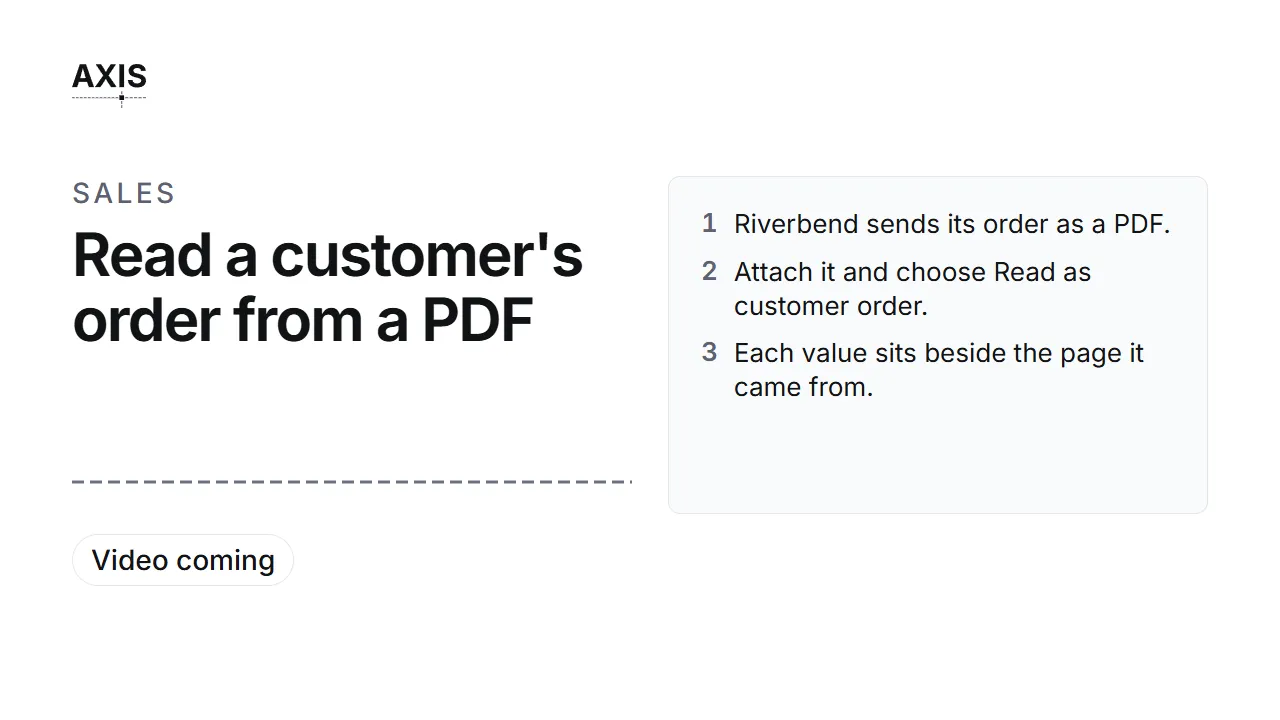
Read Riverbend's order
- Riverbend sends its order as a PDF.
- Attach it and choose Read as customer order.
- Each value sits beside the page it came from.
- Match each line to a stock item, then Confirm.
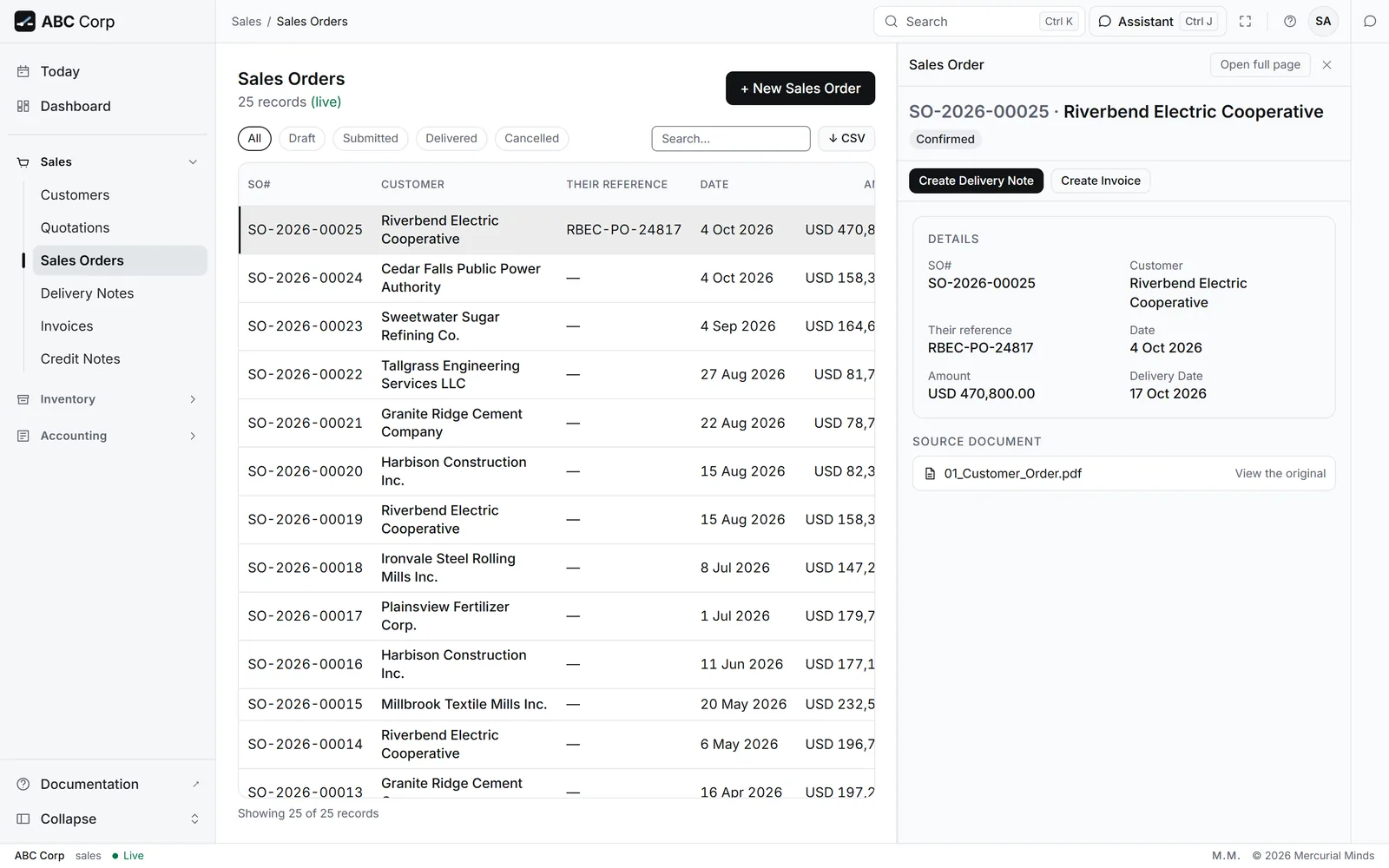
- SO-2026-00025 is on the books.
Seat: Manager Sales.
- Open the assistant and attach Riverbend's order PDF.
- Under the file, choose a customer order.
-
Send this message:
Read this order from Riverbend Electric Cooperative.
-
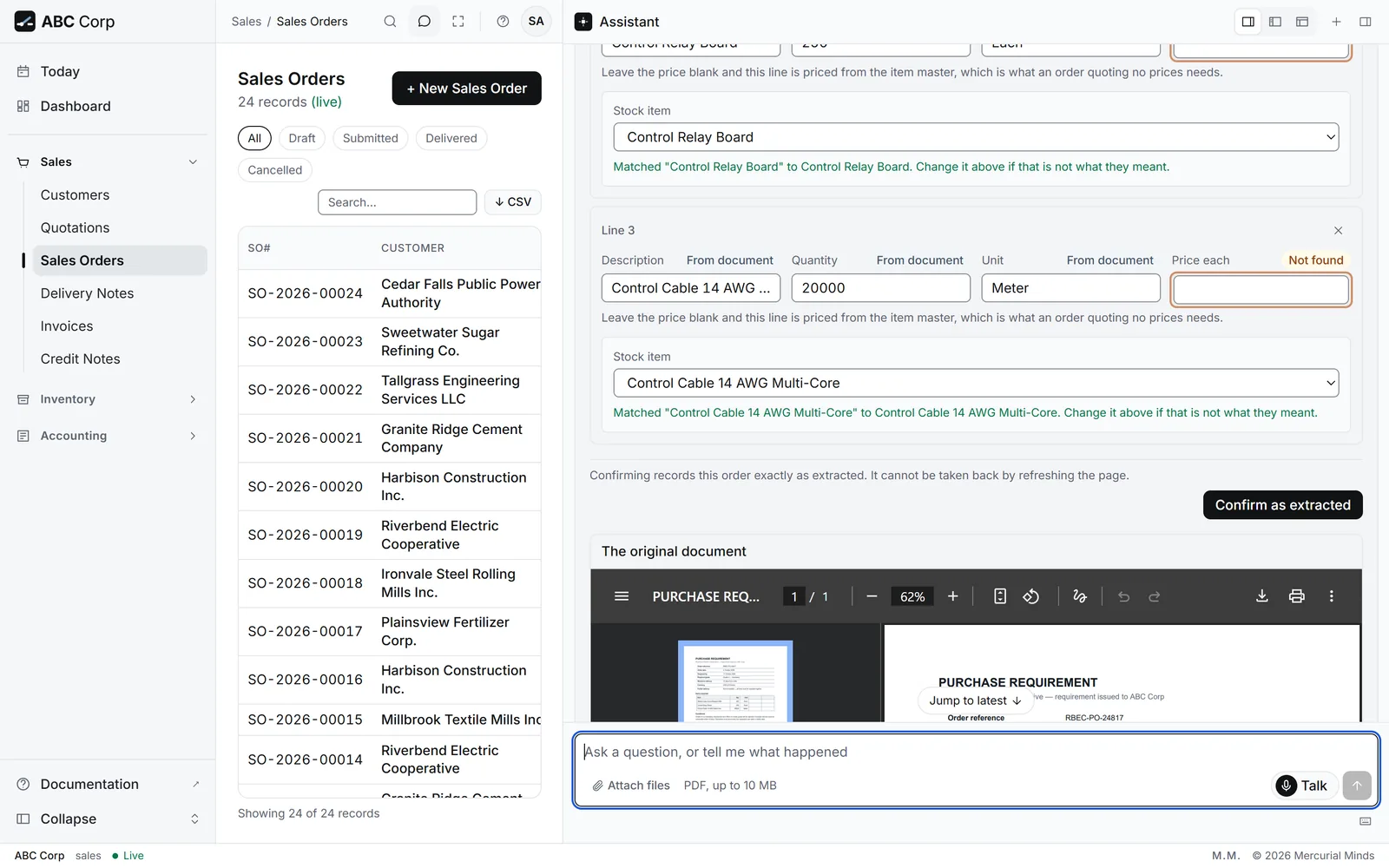
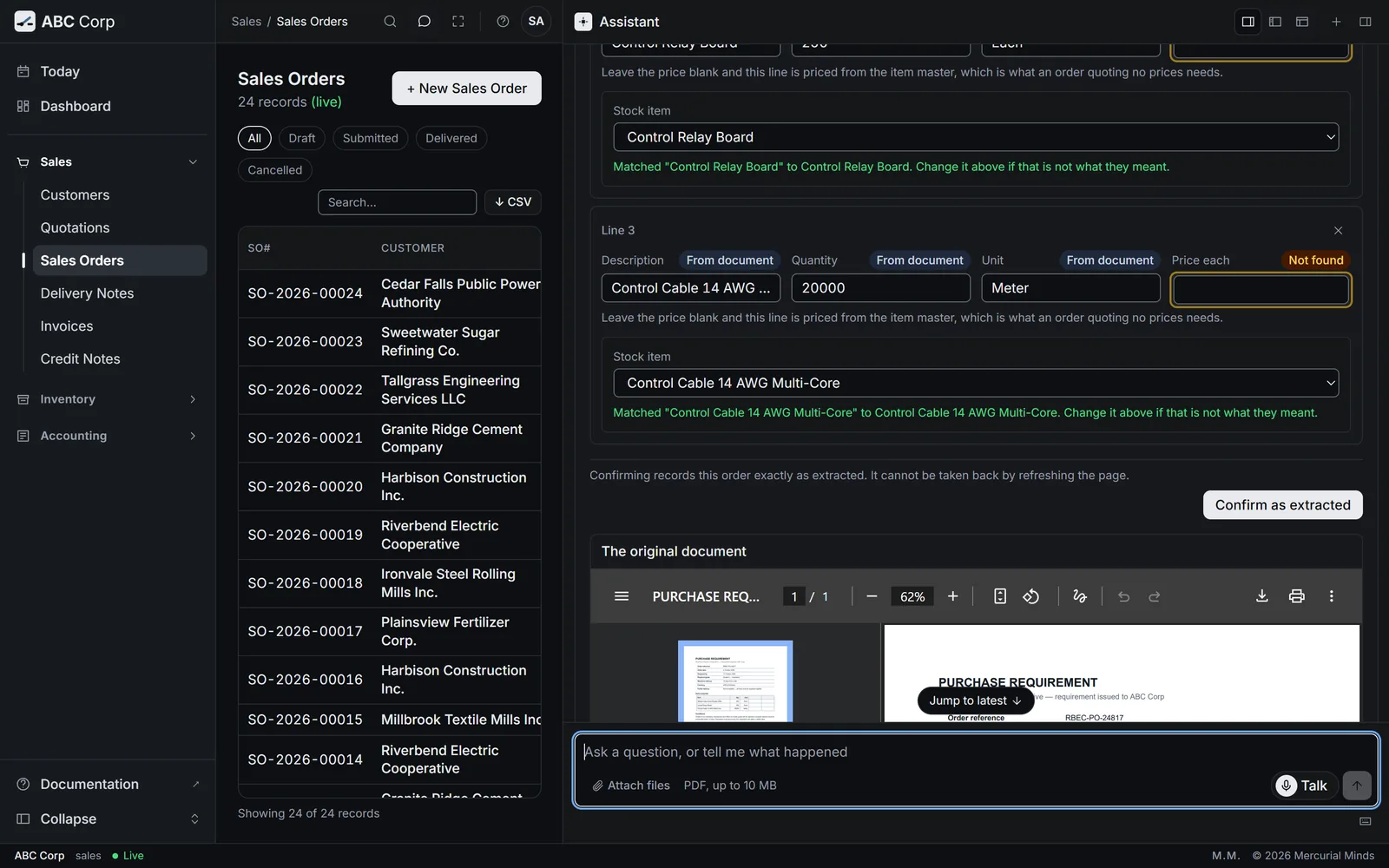
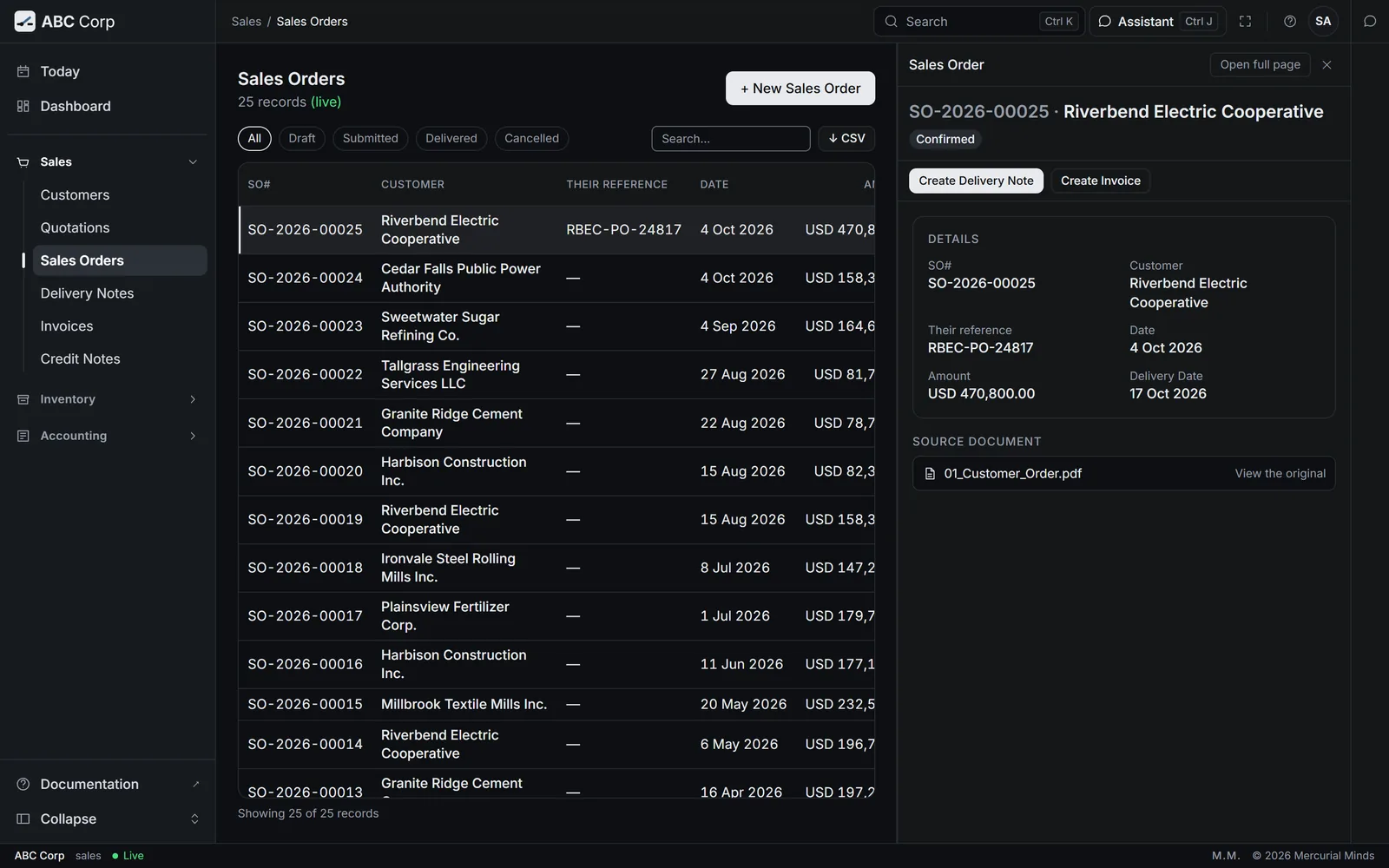
The review opens with the stored page beside the values. Check the customer, Their order reference RBEC-PO-24817 and the Wanted by date.
- Check that each line is matched to a stock item: the circuit breakers, the relay boards and the control cable.
- Press Confirm as extracted. Axis records the order, with the PDF on file beside it.
-
Ask the assistant to confirm the order. Confirming waits on a card. Read it, then press Approve. The order takes its number.
Confirm the new sales order for Riverbend Electric Cooperative.
You have seen it when
SO-2026-00025 is open for Riverbend Electric Cooperative, with the status Confirmed.
The full task: Read a customer's order from a PDF.
Beat 2 of 7: Find what it needs to buy
Find what it needs to buy
- Ask what the order needs that the stores lack.
- The assistant checks the bill of materials against stock.
- Four parts are short. The Digital Protective Relay is new to the stores.
Seat: Manager Procurement.
The order is for 250 Distribution Panelboards. Their bill of materials, BOM-2026-00005, lists five components for the whole batch. Ask the assistant to check it against stock:
Take bill of materials BOM-2026-00005 -- what have we already got, and what do we still need to buy? Show me line by line.
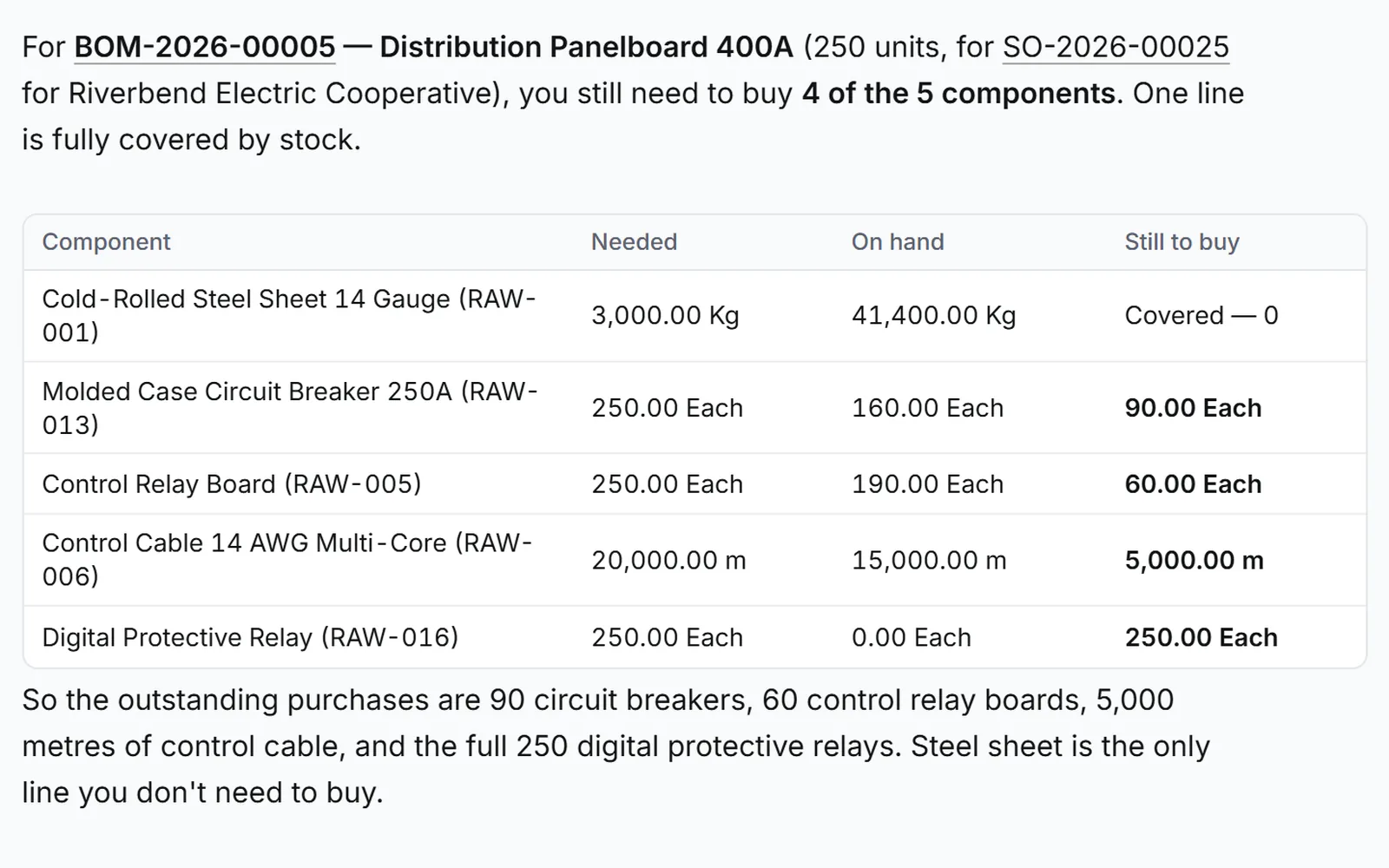
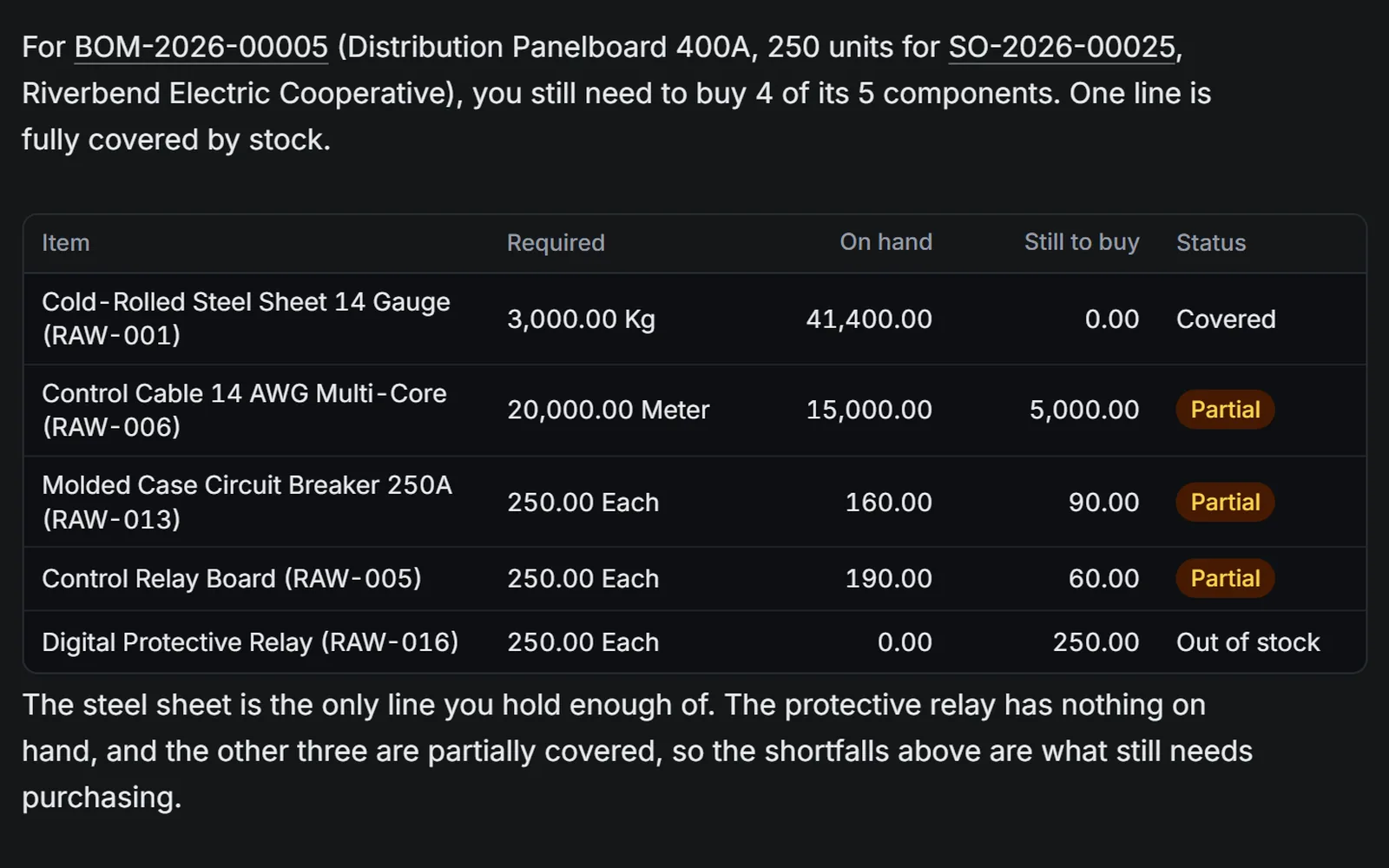
The assistant answers line by line:
| Component | Needed | Short by |
|---|---|---|
| Cold-Rolled Steel Sheet 14 Gauge | 3,000 Kg | fully in stock |
| Control Cable 14 AWG Multi-Core | 20,000 m | 5,000 m |
| Molded Case Circuit Breaker 250A | 250 | 90 |
| Control Relay Board | 250 | 60 |
| Digital Protective Relay | 250 | 250 |
This check only reads the books. You can ask it as often as you like, and the books stay as they were.
You have seen it when
Four parts show as short, and the Digital Protective Relay has 0 on hand.
The full task: Find what an order needs to buy.
Beat 3 of 7: Four quotations, compared
Four quotations, compared
- Ask the assistant to compare the quotations, every supplier included.
- Each one is judged against Grade A and ten days.
- Halvorsen meets both, at USD 264,254.50.
- Every other supplier gets its reason, in plain words.
Seat: Manager Procurement.
A Request for Quotation, RFQ-2026-00006, asked four suppliers to price the four short parts. It states the two conditions: Grade A, and 10 days. Each supplier answered with a PDF.
- Attach the four quotation PDFs together.
- Under each file, choose a supplier quotation, then send a message naming the request.
- Review each one. Choose RFQ-2026-00006 as the request it answers, and check each line maps to a line of the request.
- Press Confirm as extracted on each. Each quotation takes its own SQ number, with its PDF on file beside it.
-
Ask for the comparison:
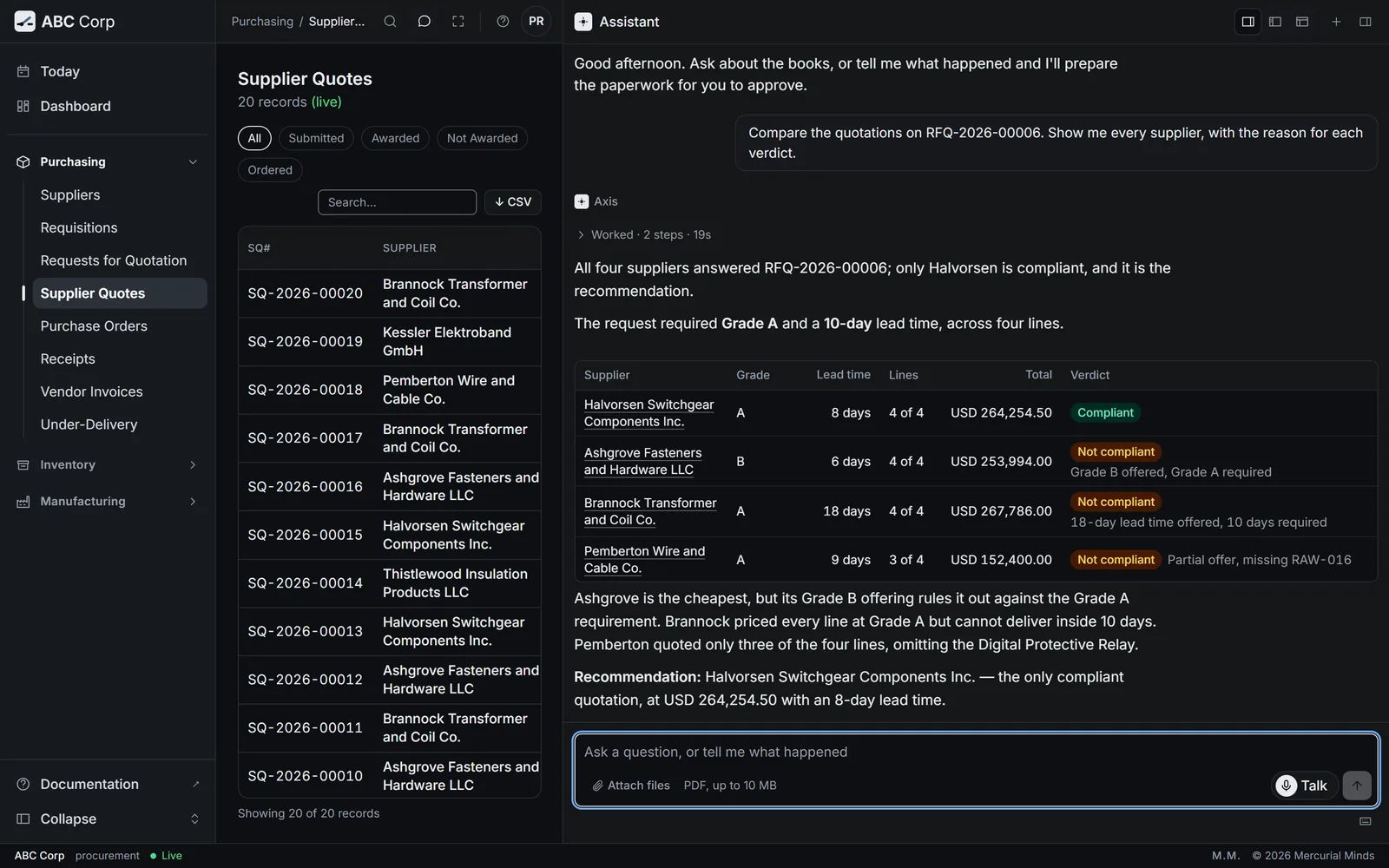
Compare the supplier quotations on RFQ-2026-00006. Show me every supplier, with the reason for each verdict.
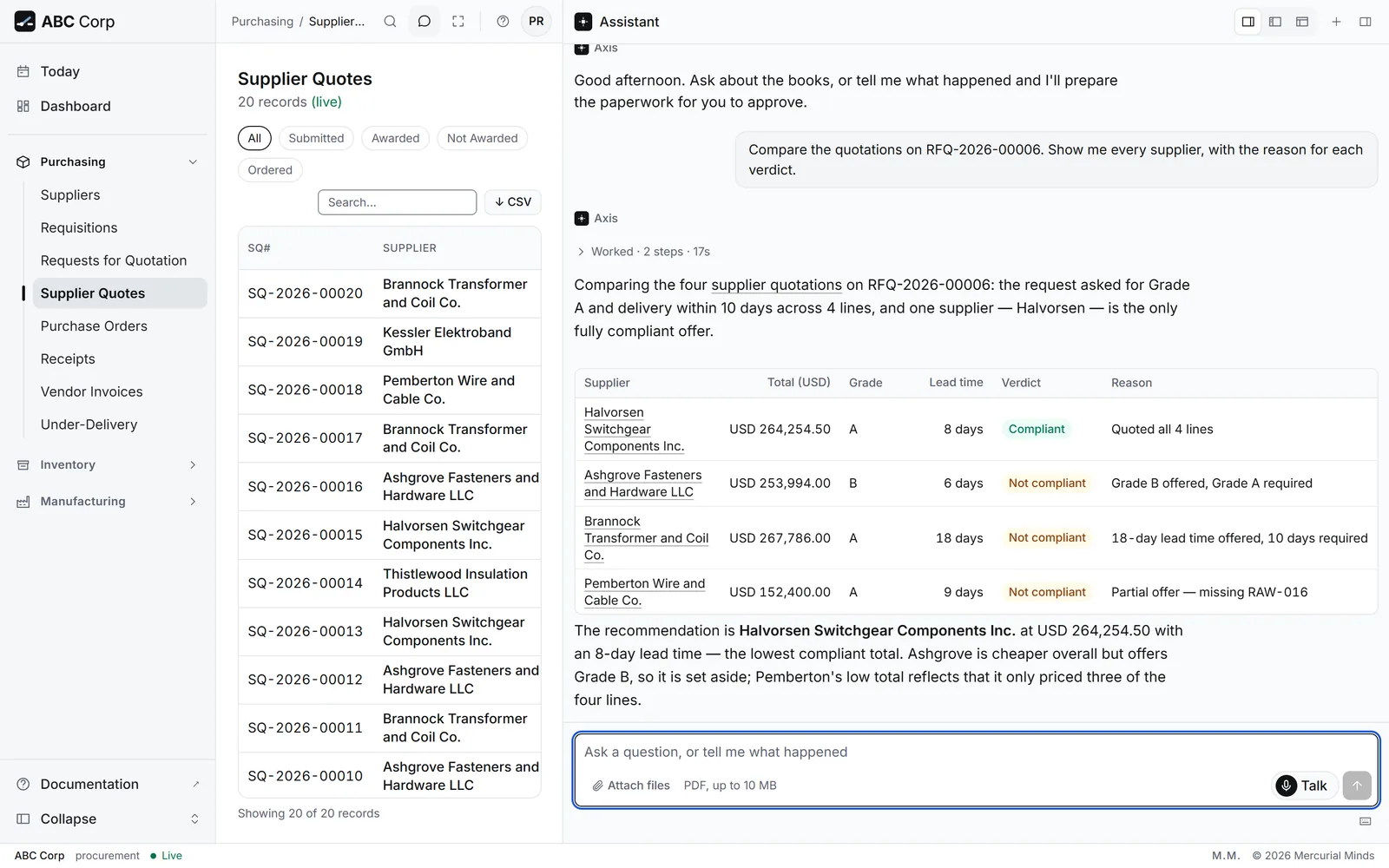
The assistant judges each quotation against both conditions:
| Supplier | Total (USD) | Grade | Lead time | Verdict |
|---|---|---|---|---|
| Halvorsen Switchgear Components Inc. | 264,254.50 | A | 8 days | Compliant, recommended |
| Ashgrove Fasteners and Hardware LLC | 253,994.00 | B | 6 days | Grade B offered, Grade A required |
| Brannock Transformer and Coil Co. | 267,786.00 | A | 18 days | 18 days offered, 10 required |
| Pemberton Wire and Cable Co. | 152,400.00 | A | 9 days | Partial offer: the Digital Protective Relay is unpriced |
Pemberton's total looks cheapest only because it leaves the relay out. Ashgrove is the cheapest complete offer, and it offers the lower grade. Halvorsen is the one supplier that meets both conditions.
To hear the reasoning in full, ask:
Which supplier do you recommend on RFQ-2026-00006, and why?
You have seen it when
Halvorsen is marked compliant at USD 264,254.50, and each of the other three suppliers has its own reason.
The full tasks: Read a supplier quotation from a PDF and Compare quotations.
Beat 4 of 7: Award, held for approval
Award, held for approval
- Ask to award Halvorsen.
- The award waits on a card with every detail in view.
- Approve it, and the award is recorded.
Seat: Manager Procurement.
-
Ask for the award, naming the supplier and the request:
Award the Halvorsen Switchgear Components Inc. quotation on RFQ-2026-00006. Please record the award.
-
The assistant may check with you first. Answer Yes, go ahead.
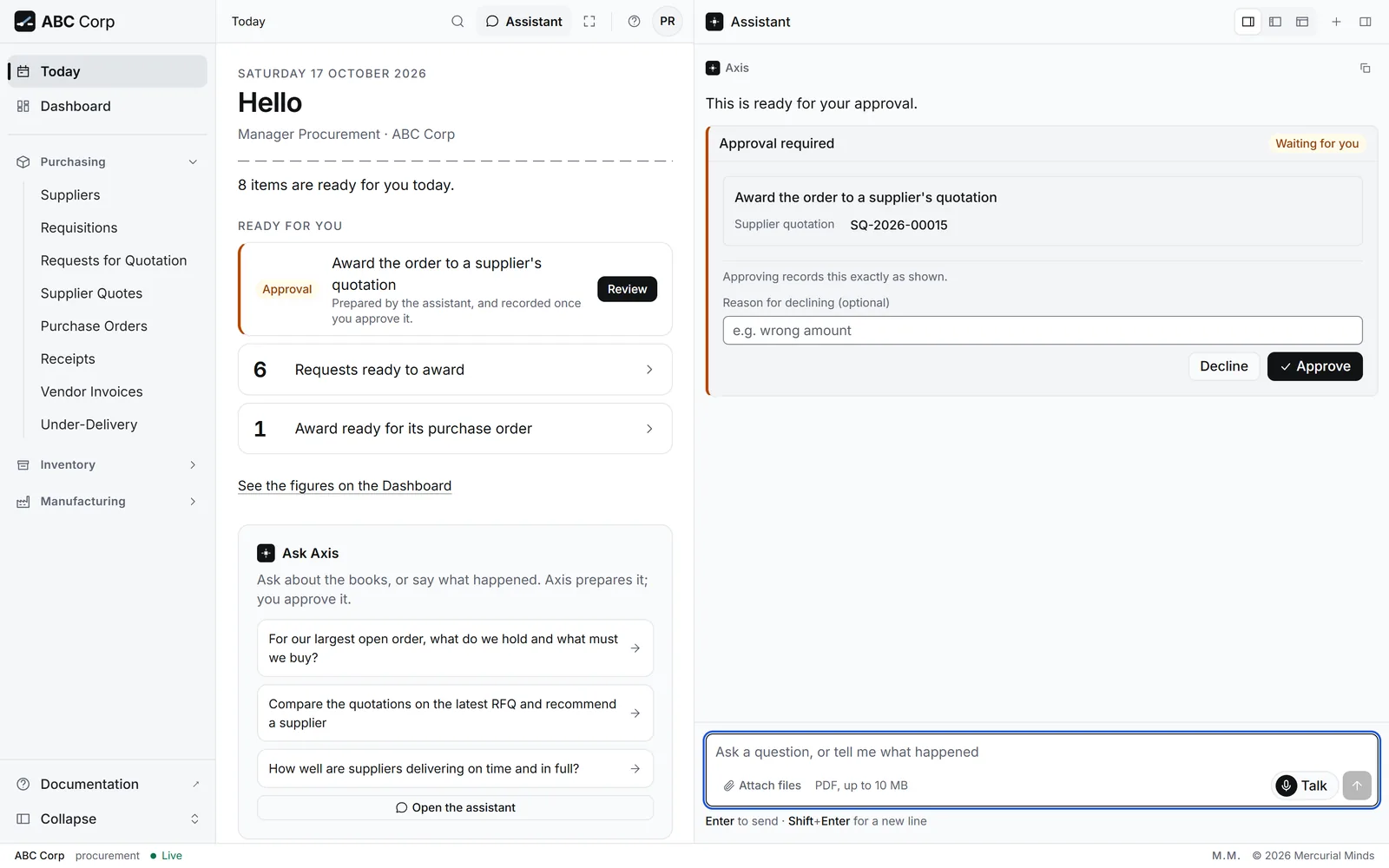
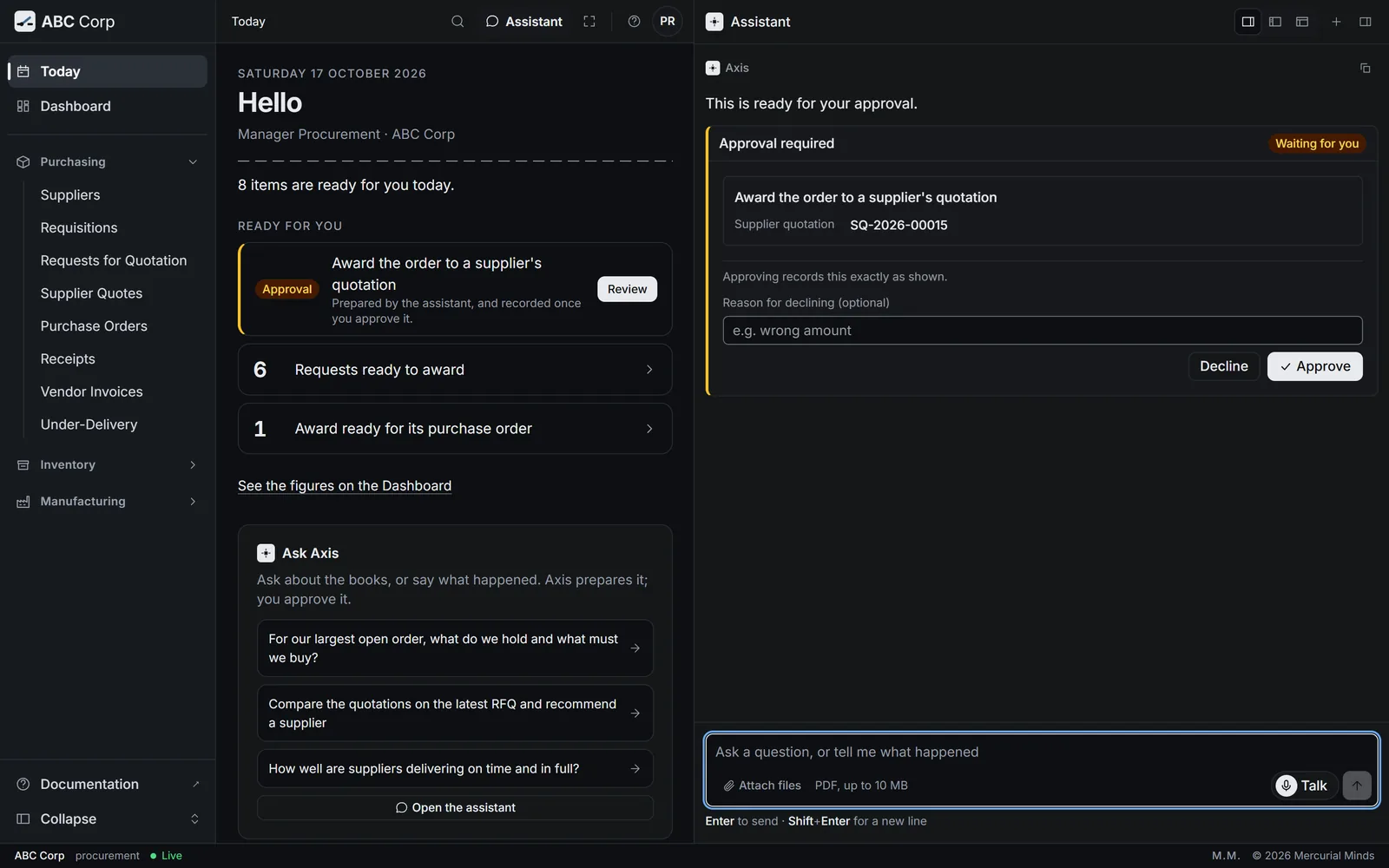
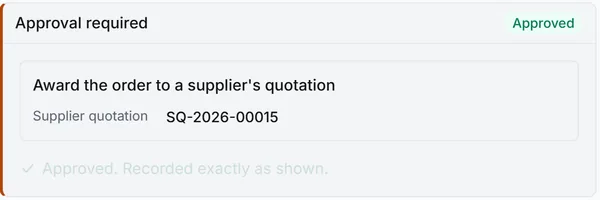
- The card appears: Award the order to a supplier's quotation, marked Waiting for you.
- Read every detail. The supplier's name sits beside its reference.
- Press Approve.
The award records your choice of supplier. Raising the Purchase Order is a separate step, which you take when you are ready. Until then, the Dashboard's Needs Attention list keeps the award in view.
You have seen it when
The card shows Approved, and the words Approved. Recorded exactly as shown.
The full tasks: Award a quotation and Raise the Purchase Order.
Beat 5 of 7: Steel sheet inspected, 2 of 3
Steel sheet inspected, 2 of 3
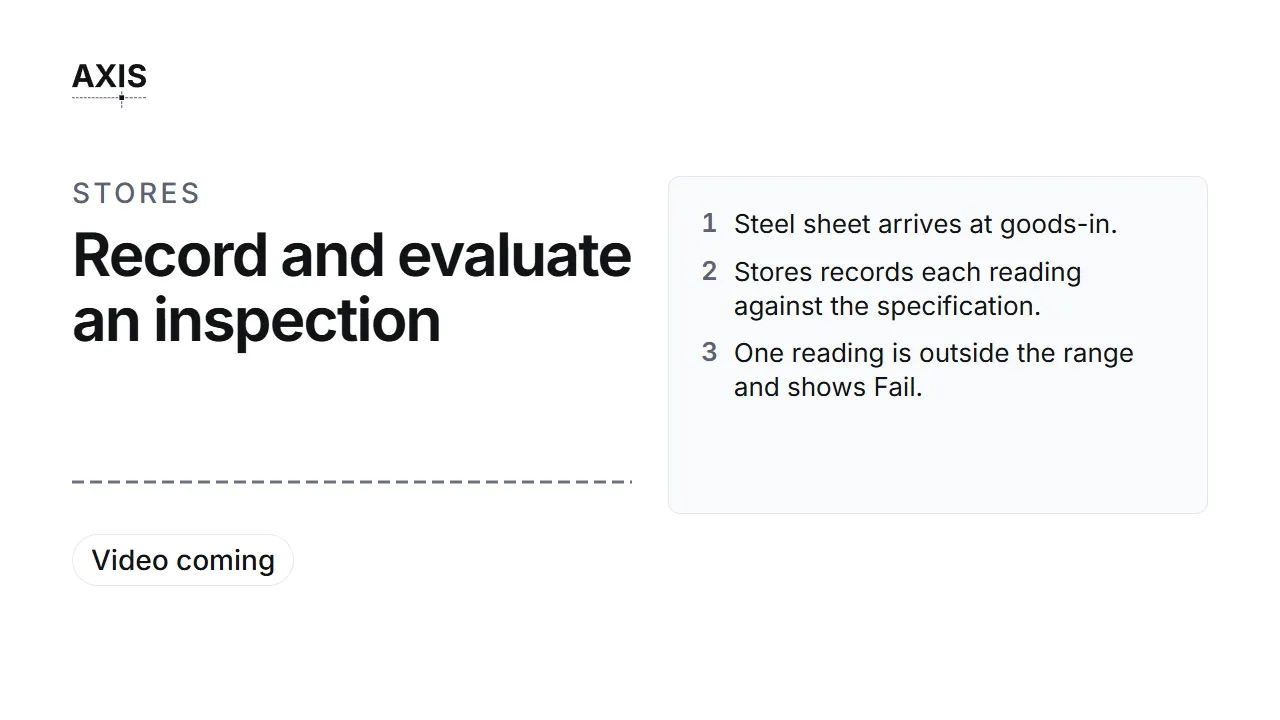
- Steel sheet arrives at goods-in.
- Stores records each reading against the specification.
- One reading is outside the range and shows Fail.
- The COO evaluates: Partially accepted, 2 of 3.
- The failed reading becomes a non-conformance report.
Seats: Manager Stores, then COO.
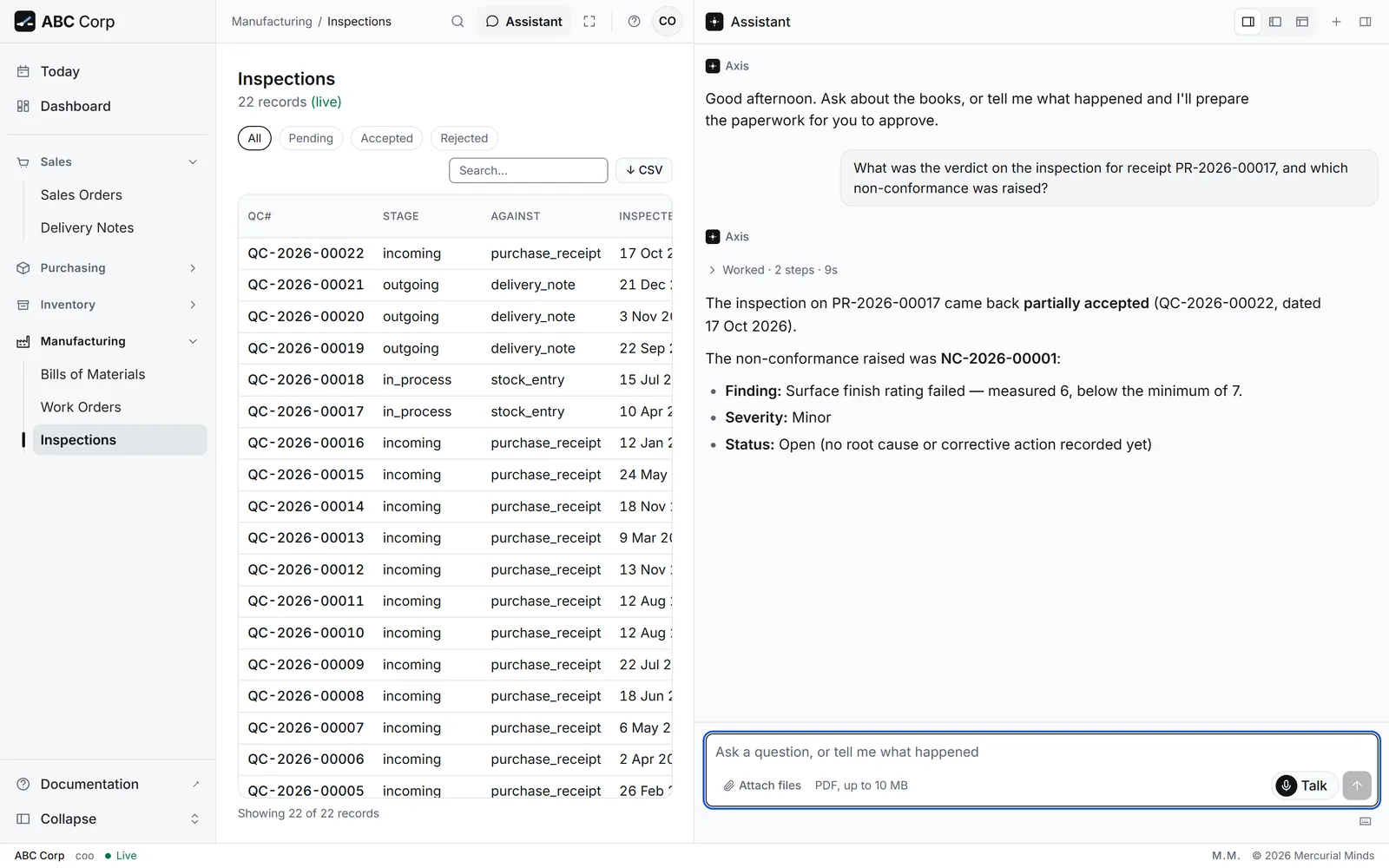
A delivery of 2,400 Kg of Cold-Rolled Steel Sheet 14 Gauge from Ashgrove has arrived today, on receipt PR-2026-00017. Inspection happens in two parts, by two people.
-
As Manager Stores, record the readings:
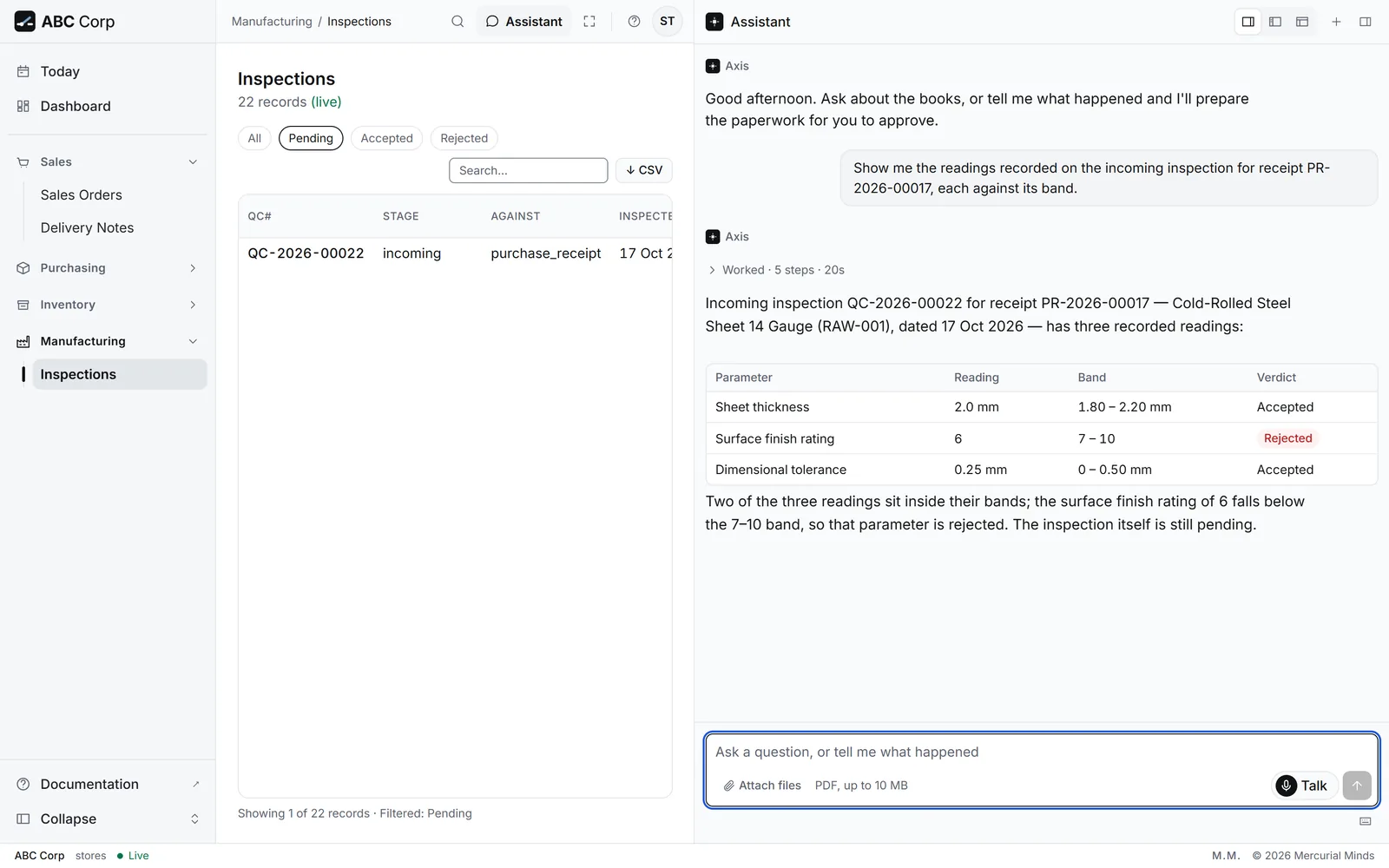
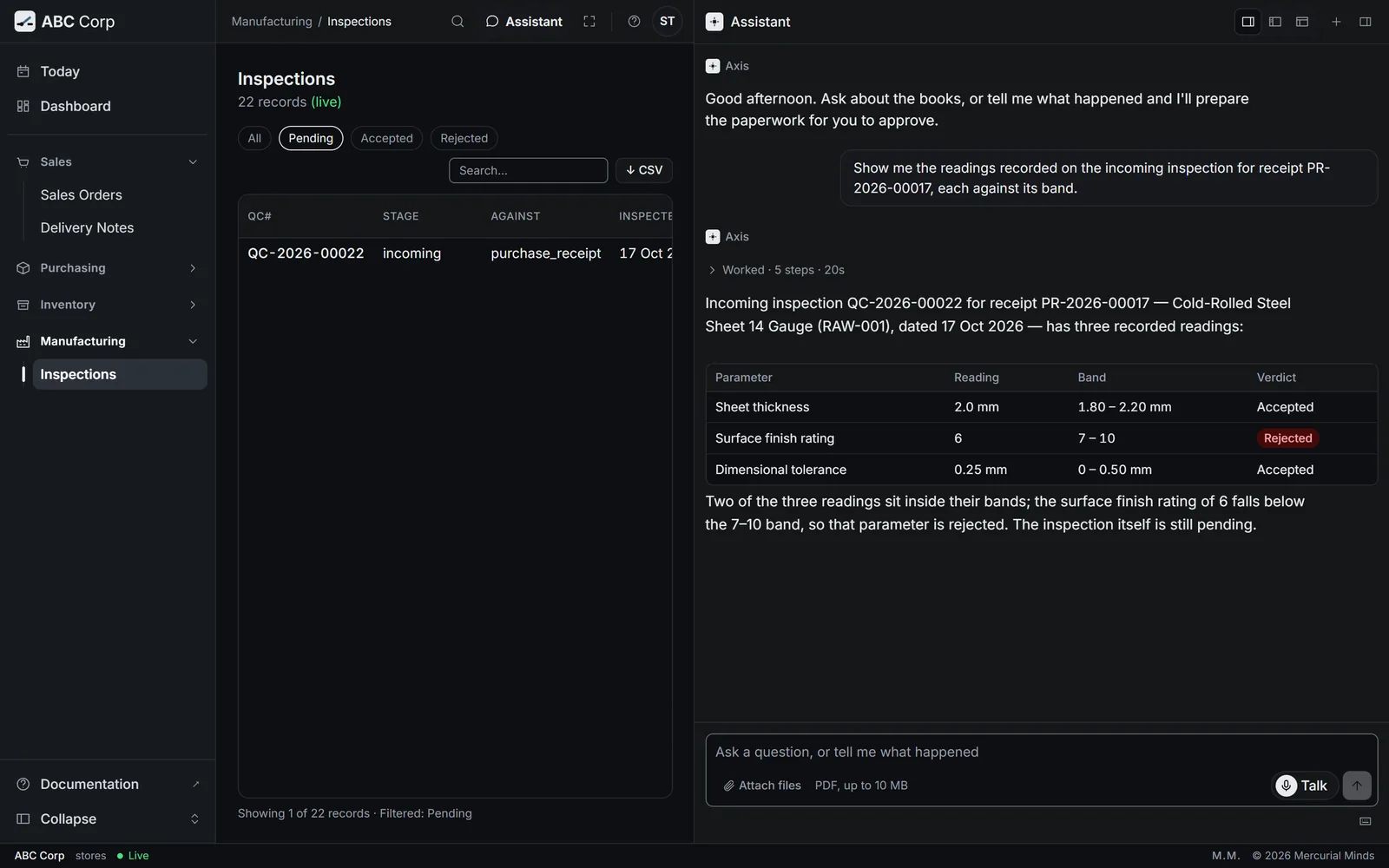
Receipt PR-2026-00017 came in today: 2400 Kg of Cold-Rolled Steel Sheet 14 Gauge from Ashgrove Fasteners and Hardware LLC. Raise an incoming inspection on it against the Incoming raw material check template and record what we measured: sheet thickness 2.0 mm, surface finish rating 6, dimensional tolerance 0.25 mm.
-
The assistant records each reading against the template's range:
Check Range Reading Result Sheet thickness 1.80 to 2.20 mm 2.0 mm Pass Surface finish rating 7 to 10 6 Fail Dimensional tolerance 0 to 0.50 mm 0.25 mm Pass -
Sign in as the COO, and ask for the verdict:
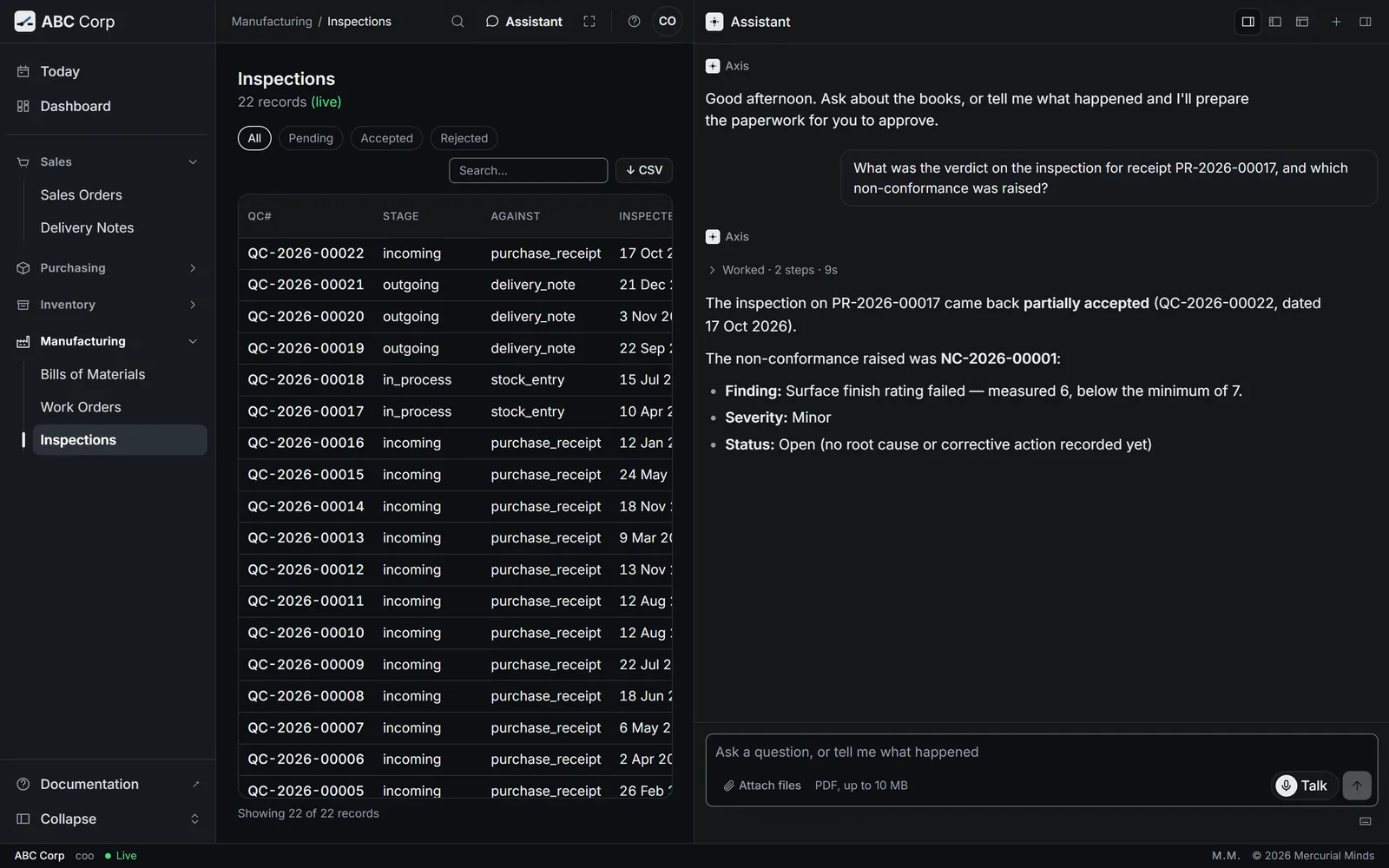
The goods-in readings for receipt PR-2026-00017 are recorded. Evaluate the inspection, and raise a non-conformance for anything that is out of specification.
Recording and judging are two jobs, held by two seats. Stores measures what arrived, and the COO decides what it means.
You have seen it when
The inspection reads Partially accepted, 2 of 3 checks passed, and a non-conformance report such as NC-2026-00001 is linked to it.
The full tasks: Record inspection readings and Evaluate an inspection.
Beat 6 of 7: Rent misposted, reversed
Rent misposted, reversed
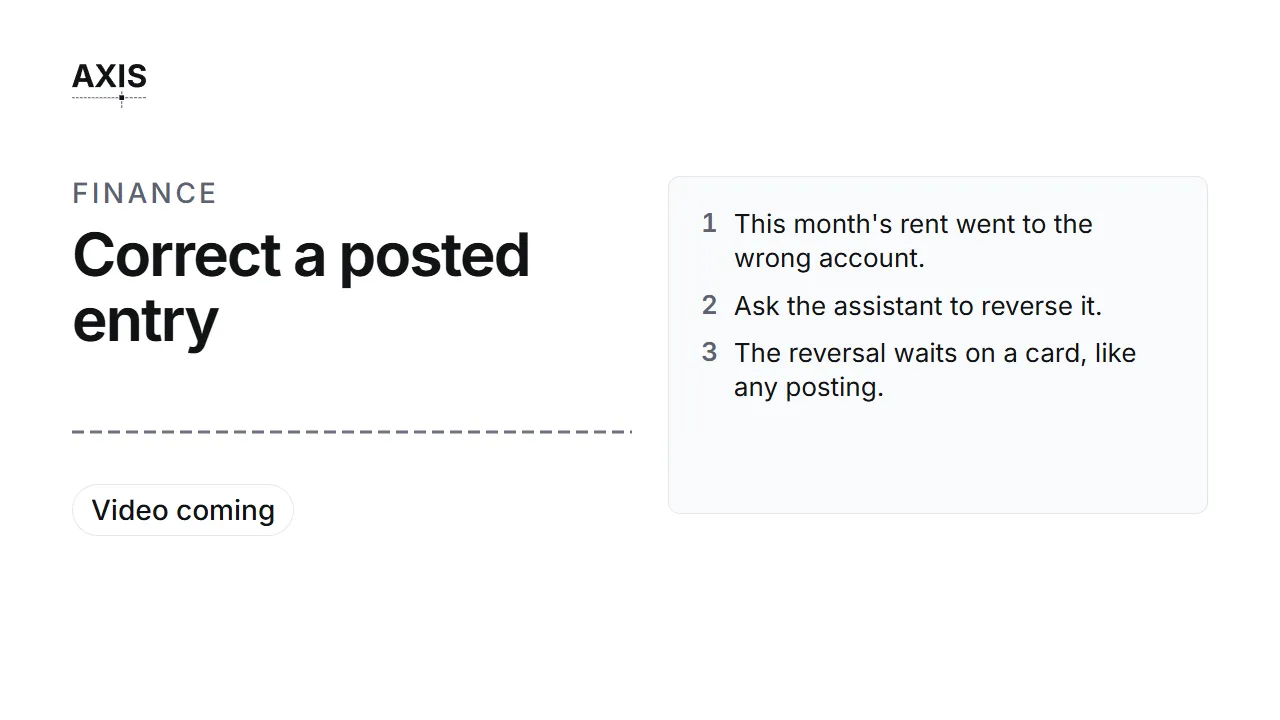
- This month's rent went to the wrong account.
- Ask the assistant to reverse it.
- The reversal waits on a card, like any posting.
- Approve it. The original and its reversal sit side by side.
Seat: CFO.
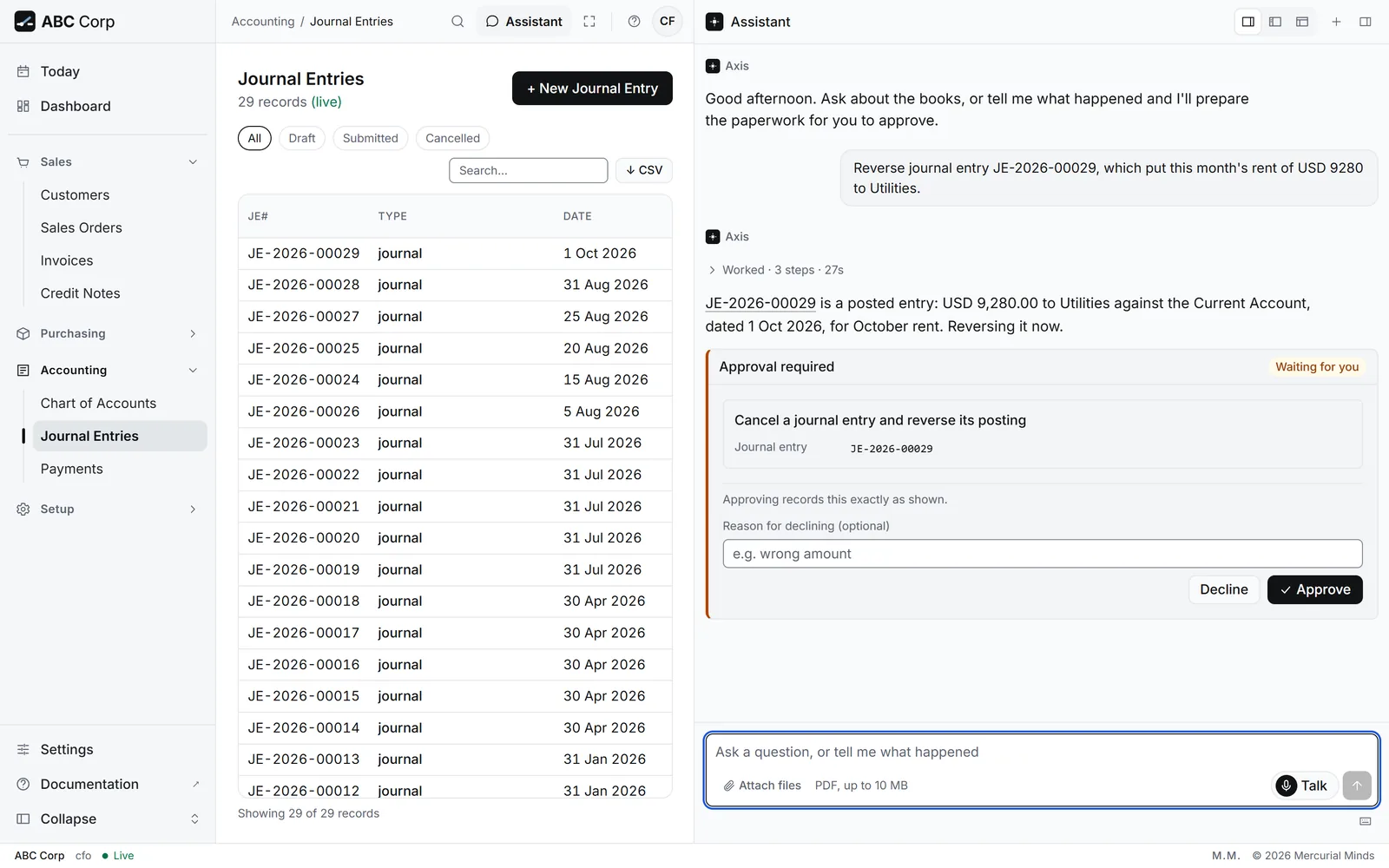
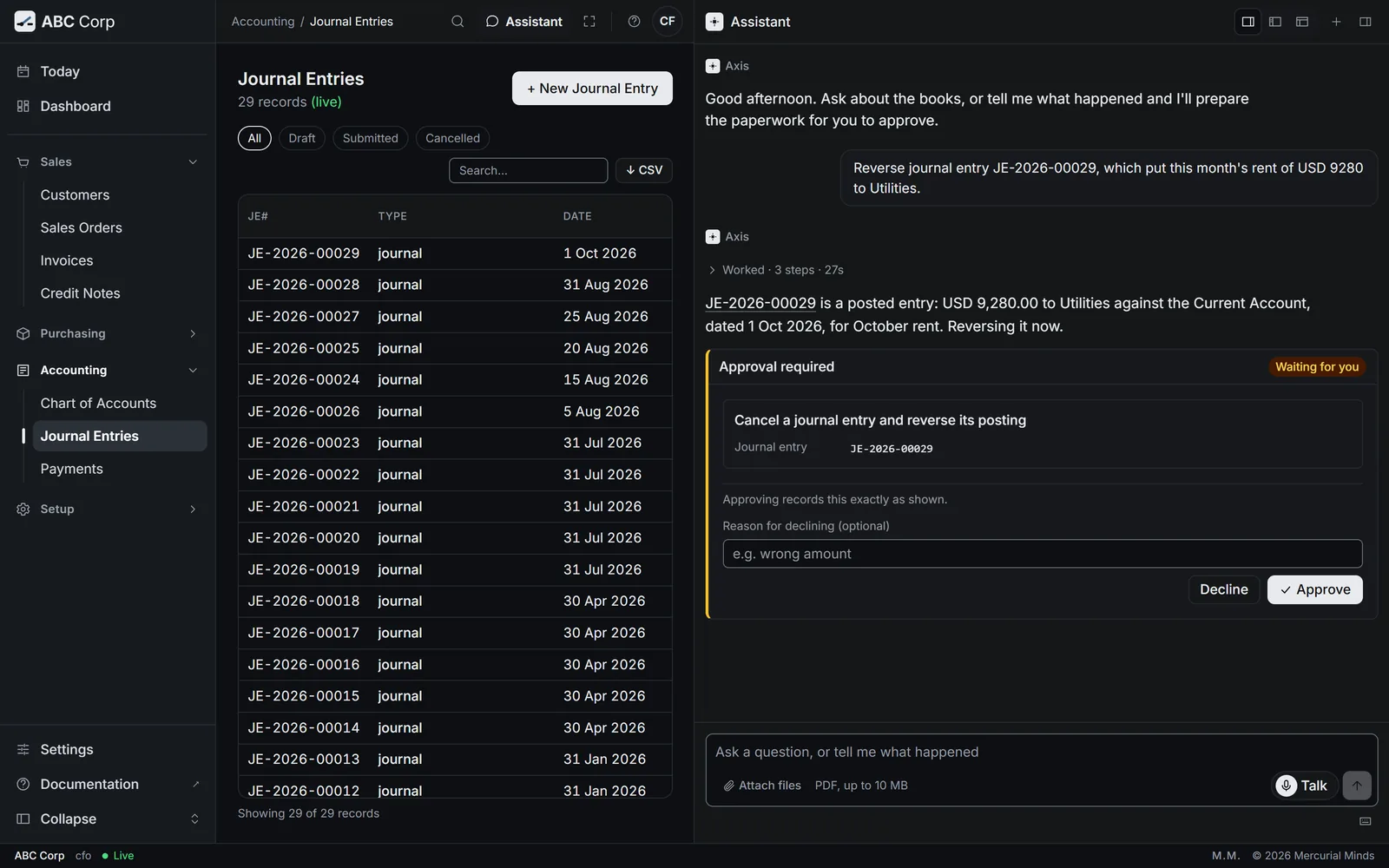
This month's factory and office rent was posted to Utilities, on journal entry JE-2026-00029. A posted entry stays as it was posted. The fix is a reversing entry, approved like any posting.
-
Tell the assistant what went wrong:
Journal entry JE-2026-00029 put this month's rent to Utilities. It belongs in the rent account. Please change it.
-
The assistant explains that a posted entry stays on the record, and offers to reverse it. Answer Then reverse it.
- The card appears: Cancel a journal entry and reverse its posting. Read it, then press Approve.
-
Ask to see the result:
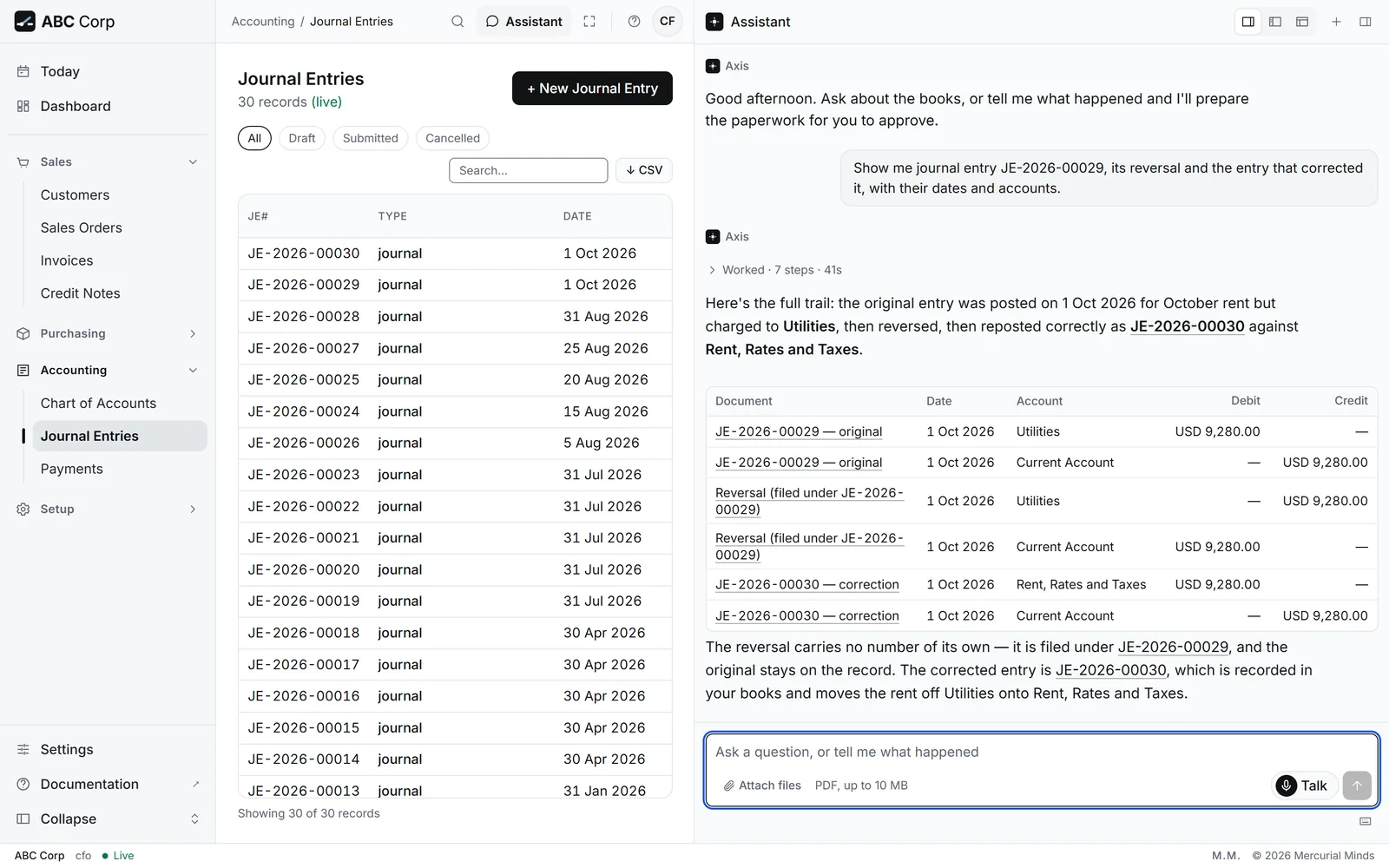
Show me the general ledger postings for journal entry JE-2026-00029.
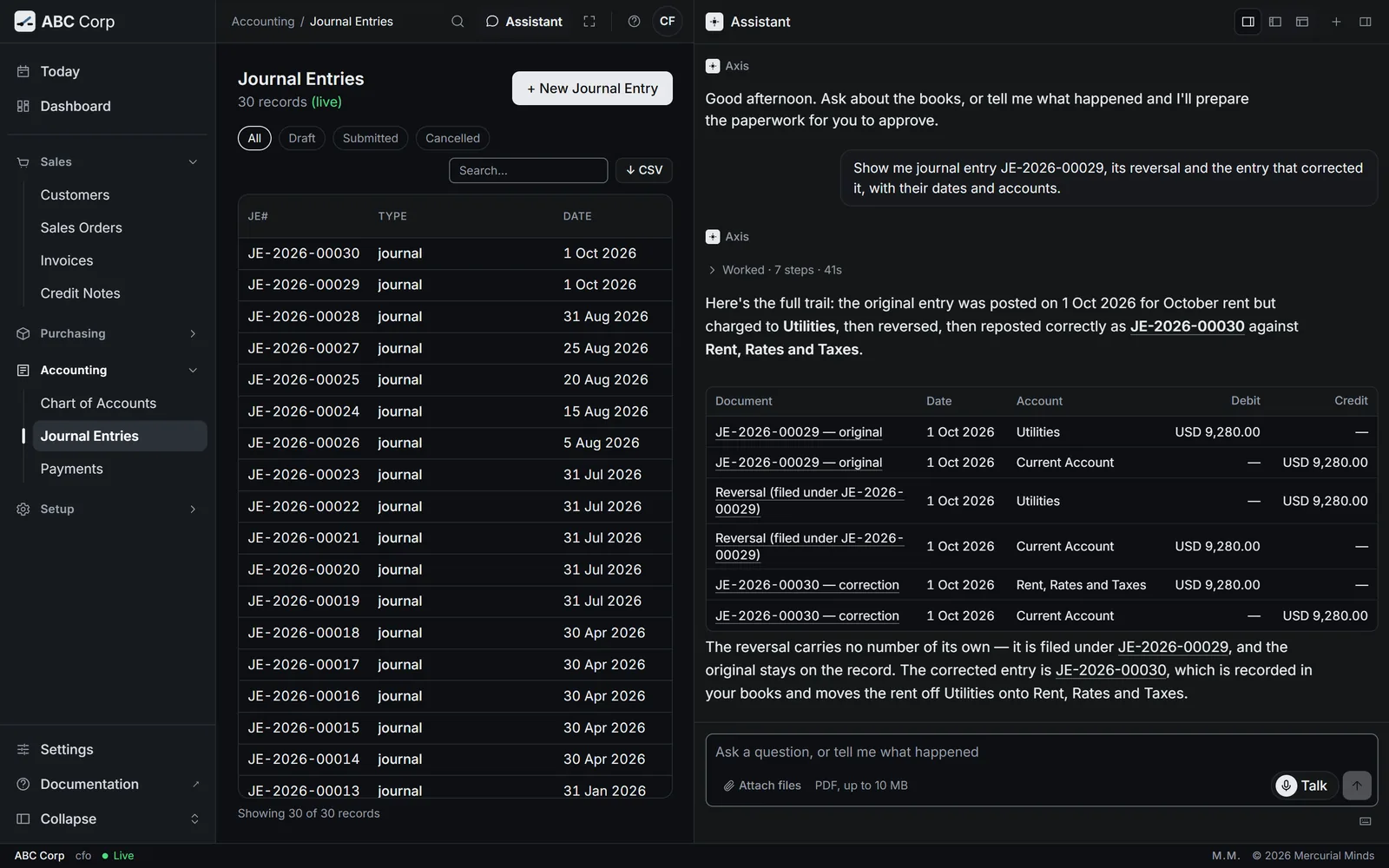
The ledger now holds four lines for the entry: the original debit to Utilities and credit to the bank, and their exact reversal. Then ask for the rent to be posted to the correct account. That entry waits on a card of its own.
You have seen it when
The original lines and their reversal sit side by side, each with its date and account, and all of them stay on the record.
The full task: Correct a posted entry.
Beat 7 of 7: The integrity check
The integrity check
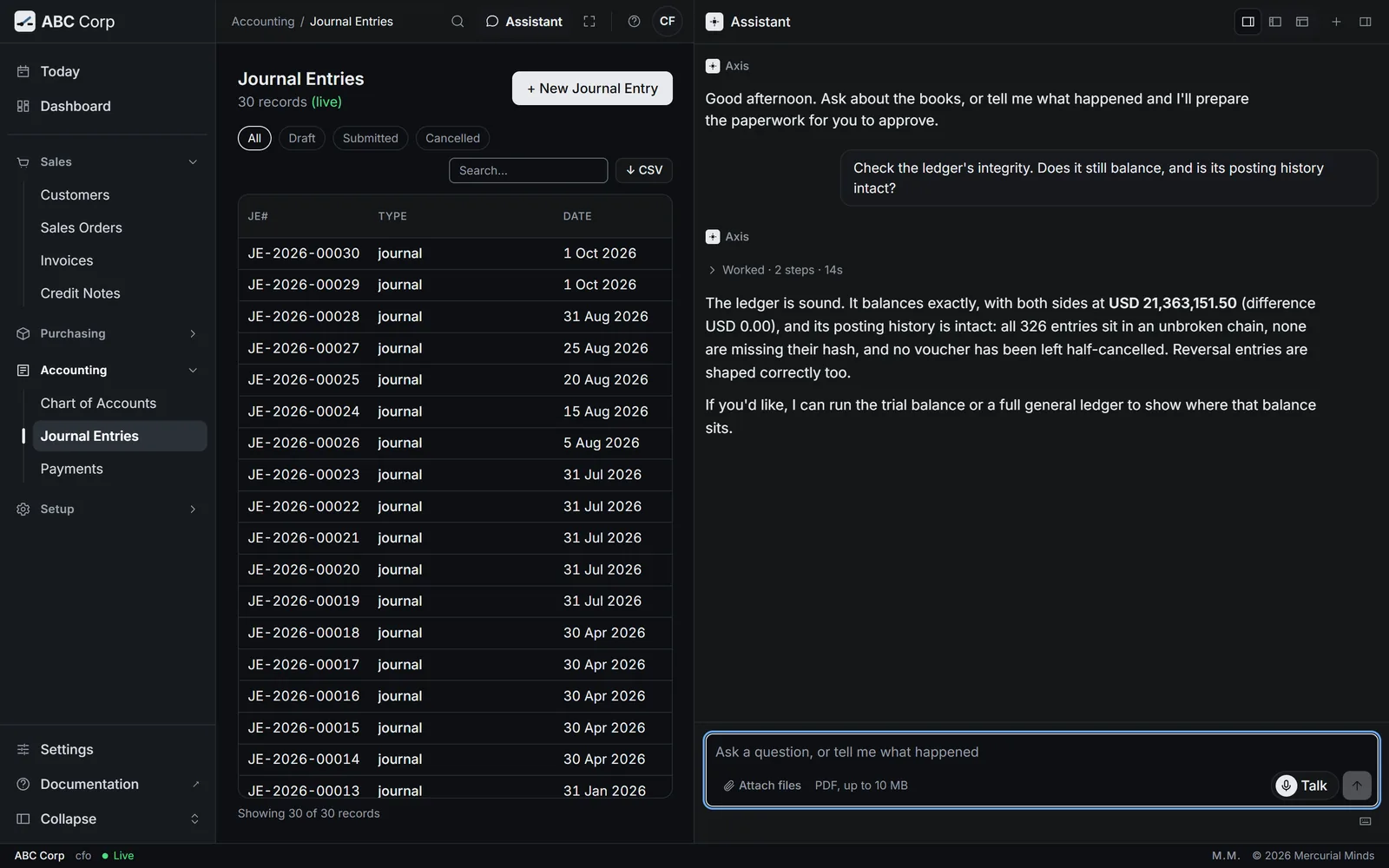
- Ask: Check the ledger integrity.
- Three results: the books balance, the chain holds, and every cancellation is complete.
Seat: CFO.
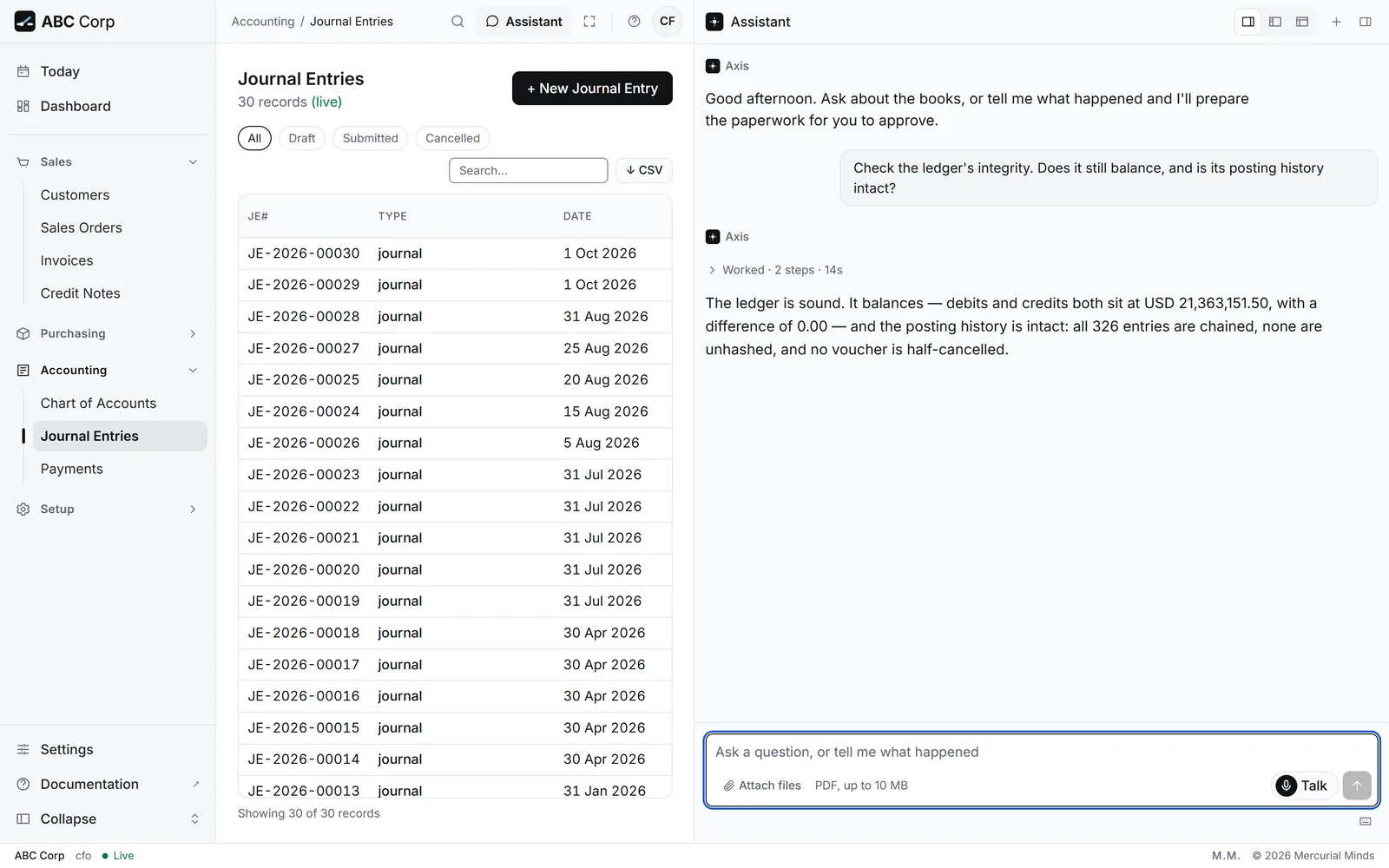
Check the ledger's integrity. Does it still balance, and has anything in its posting history been altered?
The assistant reports three results:
- The books balance. Total debits equal total credits.
- The chain holds. Each ledger entry carries a link to the one before it, and every link recomputes.
- Every cancellation is complete. Each reversed entry, such as the rent in beat 6, is reversed in full.
You have seen it when
All three results come back clear.
The full task: Run the integrity check.
Back on Today
Each seat starts its day on Today, and the tour shows up there too:
- Before the award, the Manager Procurement's Today counts the Riverbend request among the requests ready to award. After the award, it leaves that count.
- A card you leave waiting stays on your Today as an Approval row. Press Review, and the card opens again in the assistant.
- The CFO's Today counts the invoices ready to chase from the year's trading.
Sign in as each seat in turn, and compare their Today screens. Each one shows only the work that seat can act on.
Next
- Your first day: the same moves in your own seat.
- Your work, end to end: every task.
- Trust in the books: why a correction is a new entry.